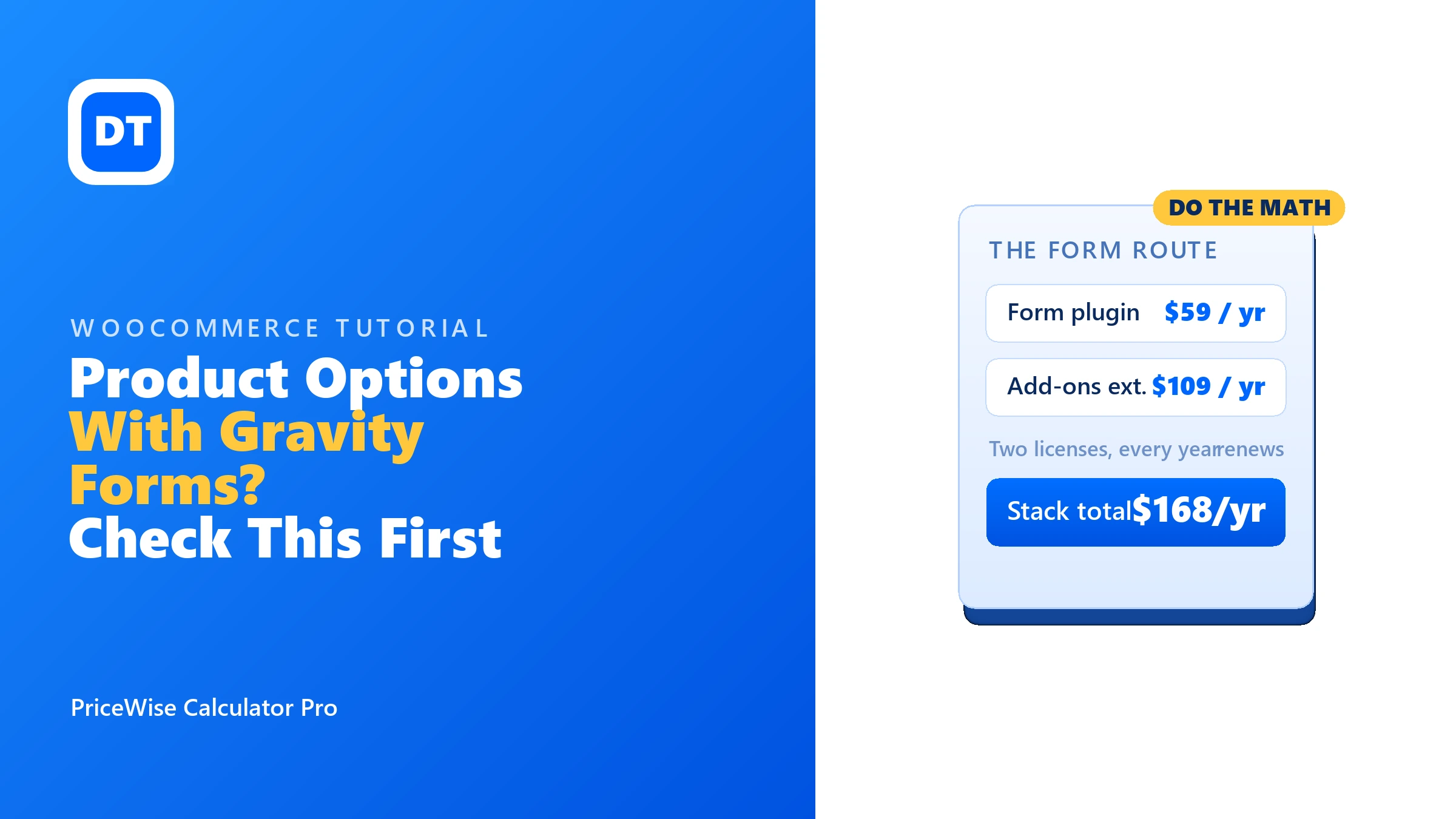
The Gravity Forms route to product options looks clean on paper: you bolt a form onto a WooCommerce product, the form collects the choices, and the extension turns the form total into the product price. Plenty of agencies set stores up exactly this way. But before you copy them, sit with the receipt for a minute, because this is the most expensive way to price a product in WooCommerce, and if it is only prices you need, you are paying for form features you may never open.
I sell a competing plugin, so judge me accordingly, but I checked every number below on the sellers’ own pages on 14 July 2026, links included. This is not a “Gravity Forms is bad” article. Gravity Forms is a superb form builder. The question is narrower: is a form builder the right tool for pricing YOUR products, and what does that choice cost?
Before anything else: The form route needs two yearly licenses: Gravity Forms (from $59) plus the WooCommerce Gravity Forms Product Add-Ons extension ($109). That is $168 a year, minimum, and pricing lives in a form bolted onto the product. A price calculator does the same core job inside the product itself, from $49 a year, or free if a formula covers you. Pay the $168 only when you truly need Gravity Forms’ form machinery.
The receipt, in the open
From the sellers’ own pages, one site, checked 14 July 2026:
- Gravity Forms: Basic license $59 a year (Pro $159, Elite $259).
- Gravity Forms Product Add-ons extension on the WooCommerce marketplace: $109 a year, rated 3.4 stars from 26 reviews, and its own page notes Gravity Forms is sold separately.
- Total to switch it on: $168 a year, every year, for one site.
Neither product is a rip-off on its own. Gravity Forms is worth $59 if you need serious forms. The extension does what it says. The problem is what the stack quietly assumes: that your product pricing problem is really a form problem. Usually it is not.
A form that prices a product is still a form
Here is the shape of the trouble. With the form route, your options and pricing logic live in Gravity Forms, and the product is mostly a shell the form sits on. That means:
- Two systems to keep in sync. Product settings live in WooCommerce, pricing logic lives in the form editor. Six months later, whoever edits prices needs to know both.
- Form thinking, not product thinking. Waste percentages, rounding to whole boxes, minimum charges, per-night billing: you build all of that from raw form fields and calculation rules, because a form builder has no idea what flooring or hire dates are.
- Every renewal is double. Stop paying either license and the setup stops being supported. The $168 is not a one-time toll, it is the road.
A price calculator flips that around. The pricing lives inside the product, the trade problems are settings, and the customer just sees a price that moves as they choose:

Every option carries its price, the total updates live, and at add-to-cart the maths is re-checked on the server. The order shows every choice the customer made, broken down, so you know exactly what to make:

And the builder lives where product people expect it, in the WordPress dashboard, one tab per job:
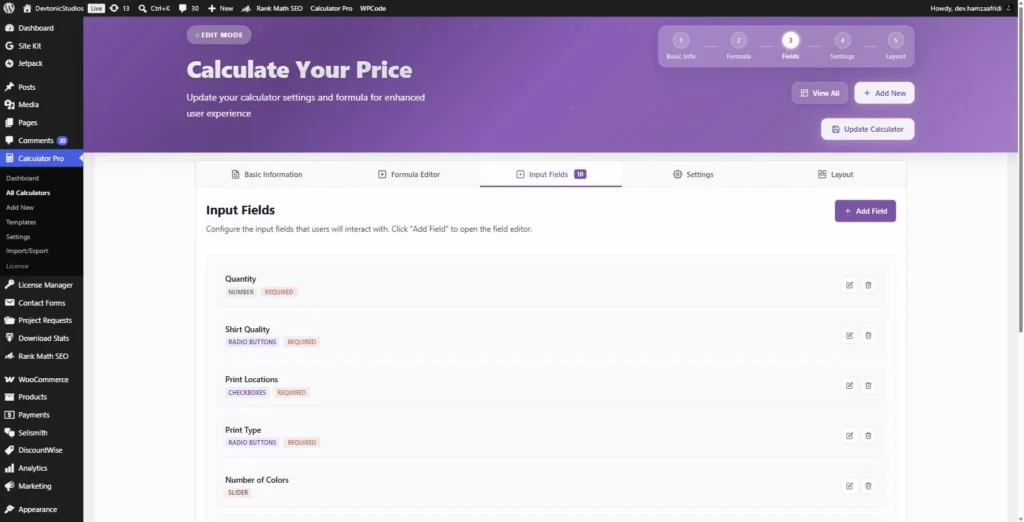
Poke it yourself: the demos live on my own store as normal, buyable products. No staging tricks.
Gravity Forms can collect hire dates, but it will not count the nights between them for you. That gap is why most rental and hire stores end up with a calculator instead.
When the Gravity Forms route genuinely wins
Fair is fair. There are real cases where I would tell you to pay the $168:
- You already own Gravity Forms and live in it: entries, notifications, integrations, workflows. Then the extension is $109 on top of a tool you use daily, and that can be worth it.
- The “product” is really an application or intake form: multi-page, signatures, conditional sections, saved entries, approval steps. That is form machinery, and Gravity Forms is the best at it.
- You need the form data pushed into other systems (CRMs, spreadsheets, automations) through Gravity Forms’ add-on network.
If none of those describe your store, you would be paying $168 a year mostly for the word “Forms”.
The same job, priced side by side
Say you sell custom t-shirts: quantity, blank quality, print locations, print type, colours, a file upload, live total. Both routes can build that page. The receipt is the difference:
| Gravity Forms route | PriceWise route | |
|---|---|---|
| Licenses needed | Gravity Forms ($59) + Add-ons extension ($109) | One: PriceWise Pro |
| Cost, year one | $168 | $49 (or $99 once, lifetime) |
| Cost over three years | $504 | $147, or still $99 lifetime |
| Where pricing logic lives | In the form, beside the product | In the product’s calculator |
| Trade problems (waste, boxes, minimums, nights) | Hand-built from form fields | Settings on the field |
| Free way to test first | No | Yes, free version on WordPress.org |
Prices from the sellers’ own pages, 14 July 2026, one site, before tax. Check them before you buy; they change.
FAQ
Is Gravity Forms bad at pricing? No. With the extension it prices forms fine. The issue is fit and cost: form-first logic, two renewals, and no free way to test the idea on your store first.
I already pay for Gravity Forms. Should I just add the extension? Maybe, that is the strongest case for it. But if the only reason is product pricing, compare the $109 renewal against a calculator at $49 before you commit.
Can PriceWise do conditional fields like Gravity Forms? Show-and-hide rules on fields, yes (Pro). Full form machinery like multi-page logic, saved entries and signatures, no. If you need those, you are in genuine Gravity Forms territory.
Does the customer’s data still reach the order? Yes. Every choice, number, message and uploaded file lands on the cart line and the order, so nothing is lost by skipping the form.
What is the cheapest sane way to start? The free version of PriceWise: number fields plus a formula, $0. If your pricing fits a formula, you just saved $168 a year.
Forms or prices: decide once
Buy the Gravity Forms stack when you need forms, the real kind, with workflows and integrations. Buy a calculator when you need prices. If it is prices, PriceWise Calculator Pro does the job for $49 a year, or $99 once, and the free version lets you prove it on your own products tonight. Start with the live demos, and the documentation has the details. Keep the $119 difference for stock.