



FilterKit Pro – Agency

SALE -20%
$249.00 $199.00 You save: $50.00
Buy Now

Every feature, same as Personal and Business. Built for agencies and freelancers who build WooCommerce stores for clients - instead of buying a new license for every project, this covers 10 sites under one plan. Annual license.

SKU: filterkit-pro-agency
Categories: FilterKit Pro

FilterKit Pro - Agency (10 Site License)

Same plugin, same features as Personal and Business. The only difference is 10 site activations instead of 1 or 3. If you build WooCommerce stores for clients, you know the drill - every new project needs a filter plugin, and buying individual licenses every time adds up. This plan covers 10 stores under one purchase. Activate on a client store, run the setup wizard, it configures everything based on their products, and you move on to the next one. The analytics dashboard and weekly email reports are useful for clients too - they can see which filters drive sales without having to ask you for updates. Need more than 10 sites? Contact us and we'll work something out. Everything below applies to all 10 sites.


Read the Full Documentation - setup guides, examples, and tutorials

What Makes FilterKit Pro Different

Filtering That Covers Every Use Case

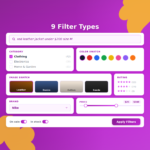
Your customers get color swatches they can click on, image tiles for visual filtering, a price range slider they can drag, checkboxes for picking multiple options, radio buttons for single selections, dropdowns for long lists, star ratings to filter by reviews, on/off toggles for things like "on sale" or "in stock," and collapsible category trees they can expand and collapse. You choose which filter types show up on your store and in what order. All of it updates products on the same page without reloading - customers see results the moment they click something.

A Search Bar That Understands What People Mean

FilterKit Pro comes with a built-in AJAX search bar. Customers type a word and products appear instantly without page reload - that part works like any search. But it also understands full sentences. Someone types "red leather jacket under $200 in medium" and the plugin figures out the color, material, category, price, and size automatically. It even handles typos - "blek jacket" still finds "black." The whole thing runs on your server with no external API calls, no per-query fees, and no customer data leaving your store.

Analytics That Actually Tell You Something Useful

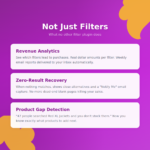
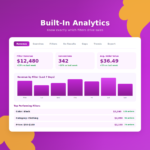
This is the part most store owners find the most useful. There's a 7-tab analytics dashboard inside your WordPress admin that shows you which filters people use most, which filter combinations lead to actual purchases, what products people searched for that returned zero results (meaning you don't carry what they want), and how much revenue came through filtered browsing. Instead of guessing what to stock next, you'll see the exact gaps between what your customers are looking for and what you actually have.

Weekly Email Reports

You don't need to check the dashboard every day. Every Monday, FilterKit Pro sends you an email with your store's filter stats for the week - revenue from filtered browsing, product gaps (things people searched for that you don't carry), and the top filter combinations. You don't need to log in or remember to check anything. The numbers just show up in your inbox.

Things You'd Normally Need Separate Plugins For

Most store owners end up with 3-4 separate plugins to get what FilterKit Pro includes out of the box. Product comparison is built in - customers can compare products side-by-side without leaving the shop page. Infinite scroll is built in, so products keep loading as they scroll down instead of clicking through pagination. The URLs for filtered pages are clean and SEO-friendly (/shop/jackets/red/medium/ instead of a mess of query parameters), which means Google can actually find and index those pages.

There's also variation-aware filtering, which is something most filter plugins don't handle at all. If you sell products with sizes and colors, regular filters will show a product as matching even if the specific combination (like Red + XL) doesn't actually exist. FilterKit Pro checks actual variation stock, so customers only see products that are available in the exact combination they selected. No more "sorry, this combination is unavailable" after they've already clicked through. And when a filter combination returns zero results, instead of showing a blank page, the plugin suggests the closest matching products so the customer stays on your store.

Everything Included in Every Plan

All 9 filter types

Built-in AJAX search

7-tab analytics

Weekly email reports

SEO-friendly URLs

Product comparison

Infinite scroll

Setup wizard

Getting Started

Install and activate the plugin, and the setup wizard takes over. It scans your entire store - products, categories, attributes, price ranges, ratings, brands - and configures the filters automatically. If it finds a color attribute with values like "Red" and "Navy," it turns that into clickable swatches. If it finds a price range, it builds a slider. Most stores are fully set up and live in under 5 minutes without touching any settings. If you want to customize things after, you can, but most people don't need to.

Works With Your Setup

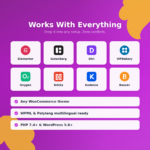
FilterKit Pro auto-detects 9 popular themes including Astra, Flatsome, WoodMart, and Kadence, and has dedicated integrations for 8 page builders: Elementor, Divi, Bricks, Breakdance, Beaver Builder, Oxygen, WPBakery, and Gutenberg. If you're using something else, there are manual settings to work with any WooCommerce-compatible setup. If you hit issues, support will look into it and fix it.

⚠️ Before You Buy

  • Annual license - renews yearly to keep receiving updates and support. Your filters keep working even if you choose not to renew - you just won't get new features or support.
  • All plans are identical - Personal, Business, and Agency have the exact same features. The only difference is how many sites you can use it on.
  • 14-day conditional refund - if you hit a technical issue we can't fix, or if the plugin doesn't work as described on this page, contact support and we'll resolve it or issue a refund. We ask for 48 hours to investigate before processing any refund.

Technical Specifications

Author Devtonic Studios
Requires WordPress 6.4 or higher
WooCommerce 8.0 or higher
PHP Version 7.4 or higher (8.1+ recommended)

Ready to Fix Your Store's Filters?

Install FilterKit Pro today. The setup wizard handles the configuration, and you'll have your first weekly report by next Monday.

Reviews

There are no reviews yet.

Be the first to review “FilterKit Pro – Agency”

Your email address will not be published. Required fields are marked *