Let customers build their order. Show the price as they choose.
ConfigKit adds product choices and calculated prices to your WooCommerce shop. Customers choose sizes, materials and extras, upload their artwork, and order online using the prices you set.
A WordPress plugin for your own WooCommerce website. Keep your shop design and add the ordering form.
From the maker of PriceWise: 5.0 from 12 PriceWise reviews
Try it for your trade
Your customer's view. A banner order with sample prices. Choose a step to inspect it, or watch the example.
 Northgate Signs
ShopGet a priceAboutContact
Northgate Signs
ShopGet a priceAboutContact


Made to your sizePrinted on the material you pick, cut to the size you type, and finished the way it will hang.
Shop / Banners
Custom banner
From £25.00
Banner size *
Width: From 30 to 500 cm Height: From 30 to 300 cm
Width x height of the finished banner.
Material *
 PVC 510 g, for outdoors+ £14.00 per m²
 Mesh, lets the wind through+ £18.00 per m²
 Fabric, for indoors+ £24.00 per m²
Finishing *
Extras
Your artwork
Quantity *
From 5: 5% off each · From 10: 10% off each
Your banner
Banner size300 x 100 cm MaterialPVC 510 g, for outdoors FinishingHemmed, eyelets every 50 cm ExtrasRope for tying- 1They chooseYou decide which sizes, materials and extras they can order.
- 2They see the priceConfigKit calculates it from your prices and their choices.
- 3You get the orderTheir choices and uploaded files stay with the WooCommerce order. Quotes are an option too.
Let customers order without waiting for a price email.
A custom order needs more than a quantity box. ConfigKit collects the sizes, choices and files you need, then calculates the price from your rules. Here is the same five-banner job by email and on your shop.
Example: ordering by email
Customer, 21:40Hi, how much for five 3 x 1 m banners with eyelets?
You, next morningHi, thanks for asking. Which material: PVC, mesh or fabric?
Customer, after lunchPVC please. Can you add rope too? And what is the price for 5?
You still need the artwork before taking the order.
Example: ordering on your shop
Custom banner
Size300 x 100 cm MaterialPVC 510 g, for outdoors FinishingHemmed, eyelets every 50 cm ExtrasRope for tying Artworkshopfront-banner.pdf Quantity5 bannersTotal for five£313.50
Add to cart
The customer can add all five to the basket, with their file. Sample prices shown.
Start with a product like yours. 42 templates included.
Choose your trade to see a real customer page and the templates included. Change the example choices, pictures and prices to match your business, test an order, then publish. Templates start as drafts.

In print and signs
How the £78.64 adds up
Aluminium composite, 3 mm, for outdoors£44.64
Rounded corners£10.00
Stand-off fixings with chrome caps£24.00
Total£78.64

In home and interiors
How the £192.60 adds up
Base price£97.60
Battery motor with a remote£95.00
Total£192.60

In wood, metal and making
How the £101.60 adds up
Plywood, 3 mm£1.32
Cutting length in metres£2.64
Engraving, + £6.00£6.00
Total£101.60

In building and garden
How the £732.40 adds up
Base price£692.40
Delivered£40.00
Total£732.40

In food and events
How the £1,515.00 adds up
Base price£1,020.00
Desserts£270.00
Soft drinks and water£180.00
Delivered and laid out£45.00
Total£1,515.00

In gifts and clothing
How the £110.00 adds up
Pendant on a chain£55.00
Rose gold plated£15.00
Birthstone£25.00
Engraving£9.00
Gift box£6.00
Total£110.00

In services

In tech and repairs
How the £126.25 adds up
Phone, Screen£89.00
Screen protector fitted£12.00
Same day, + 25%£25.25
Total£126.25

In hire
How the £180.80 adds up
Cement mixer for 7 days£107.80
Damage waiver, £4.00 a day£28.00
Delivered and collected£45.00
Total£180.80
These are real ConfigKit pages with sample prices, not customer shops. Templates provide choices and pricing rules. Service and hire examples collect dates and calculate a price; availability, bookings and recurring payments need a separate tool.
Set up the choices. Use your own products and prices.
Start from a template, then change the choices, pictures and prices in the visual editor. Drag in another field when you need one. Preview and test the result before putting it on your shop.
 1
2
3
1
2
3
- 1Add what the customer must chooseSizes, materials, colours, extras, files or dates. Click a field to add it, or drag it into a step.
- 2Set your choices and pricesWrite the labels, add your pictures and choose how each option changes the price. Templates are starting points for your business.
- 3Try an order before publishingPreview on computer and phone, then check a few prices yourself. ConfigKit flags missing or invalid settings, but you still check your business prices.
Show how the price adds up. Set the rules once.
Charge for the size, material and extras, then apply your quantity discounts. This example shows the same banner at different quantities. Try 1, 5 or 10 to see the total change.
Example banner price300 x 100 cm
You save £16.50
Sample prices, calculated by ConfigKit. Use your own rates. Your shop checks the price again when the customer adds to the basket.
How you can charge
A price for each piece
Rope for tying, + £4.00
From the Custom banner template
By the square metre
PVC 510 g, for outdoors, £14.00 per m²
From the Custom banner template
By the metre of edge or length
Hemmed, eyelets every 50 cm, £2.50 per m
From the Custom banner template
More pricing rules and a price-table example
A percentage on top
Same day, + 25%
From the Phone and laptop repair template
Your own formula
At least 0.8 m², times the fabric’s price, plus £22.
max(size_area, 0.8) * fabric + 22
From the Roller blinds made to measure template
One price for many products
Gold at £60.50 a gram: a 3.2 g band is £193.60
Change it once in Settings: every linked product follows
Cheaper by the quantity
5% off each from 5, 10% off each from 10
From the Custom banner template
A minimum and a set-up fee
Minimum order £25.00, set‑up £12.00
From the Custom banner, Laser cutting templates
Rules that change the limits
Blackout fabric: 250 cm wide at most
From the Roller blinds made to measure template
Choices that follow other choices
AMD board with Wi-Fi, only with an AMD processor
From the Custom PC build template
A price grid
From the Phone and laptop repair template
Choose where customers build their order.
Add it to one product, reuse it across selected simple products, or put it on a page such as your homepage. You choose which products keep their usual Add to cart. These diagrams show the setup and the customer result.
What you do, on the product
Product data General
Configurator
Customers build this product with the configurator, and pay the price it works out. The product's own price is not used.
Your customer sees

From £25.00
What you do, in the configurator
Where it shows On categories
Every product in these categories (and their sub-categories)
Products in Banners and Displays use these choices. Signs keep their normal Add to cart.
Your customer sees
BannersPVC BannerConfigure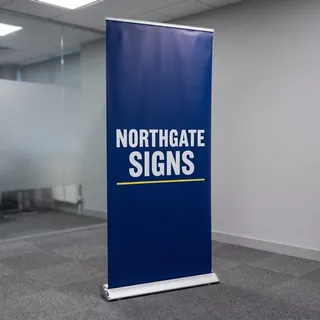 DisplaysRoll Up StandConfigure
 SignsCorrex Site BoardAdd to cart
 SignsVehicle MagnetAdd to cart
What you do, in the configurator
Where it shows The whole shop
Every product in the shopSimple products only. Products set to "None" keep their normal Add to cart.
On the Vehicle Magnet's own page
Your customer sees
BannersPVC BannerConfigure SignsA-BoardConfigureSignsCorrex Site BoardConfigureSignsVehicle MagnetAdd to cart
What you do, on the page
Where it shows On any page or the homepage
Add the Configurator block to the page in the page editor. Using Elementor or another page builder? Paste this short code instead:
[configkit id="12"]CopyYour customer sees, on your home page
Orders from this page go into your normal WooCommerce basket and checkout.
Choose a layout. Match your shop's colours.
Show choices beside a picture, all on one page, or a step at a time. The real banner pages below show different layouts and styles on computer and phone. Changing the design keeps your pricing rules.
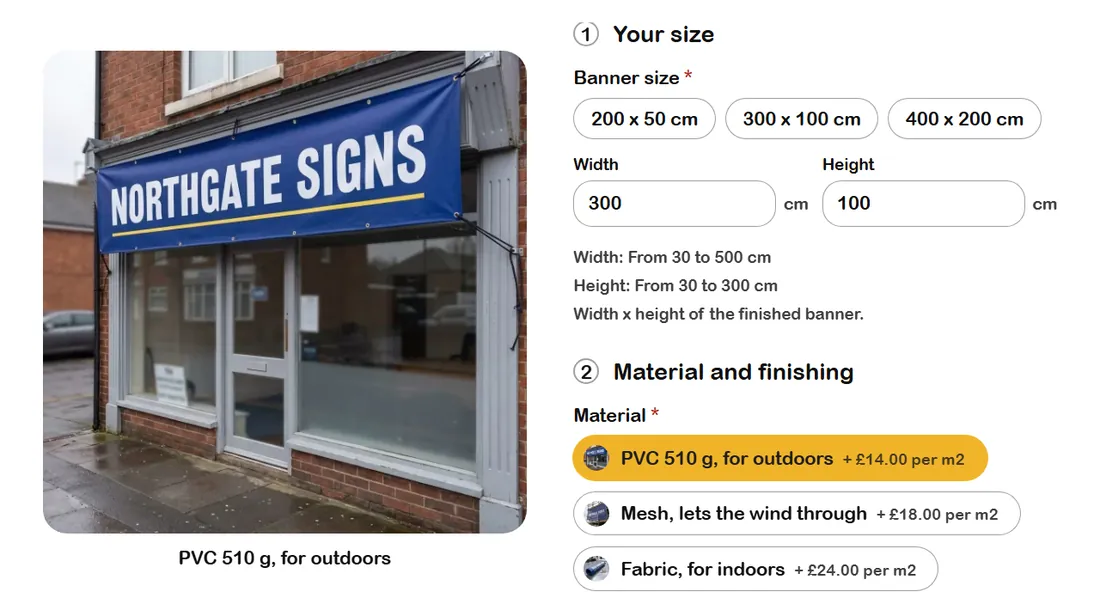

Picture beside layout, Friendly look. A big picture next to the options. It turns into the picture of whatever was picked last.


Two columns layout, Floating cards look. Everything at once under the photo, two blocks side by side where there is room.


Steps layout, Dark look. One step at a time. The words stay readable on your own colour.
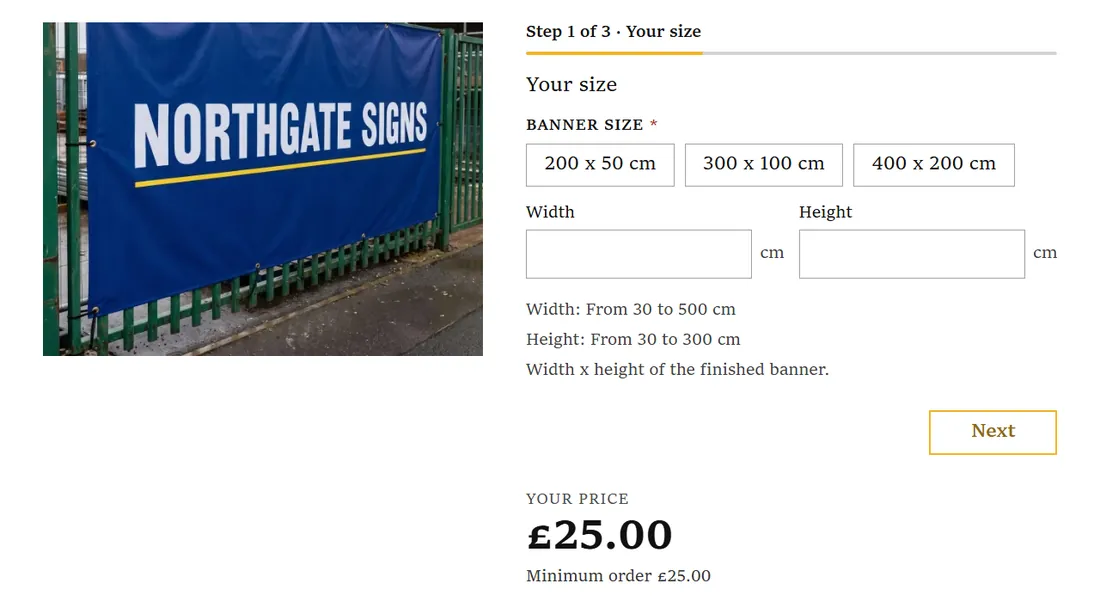

Steps layout, Boutique look. Square corners, a serif and small capitals, with "Step 1 of 3" on top.

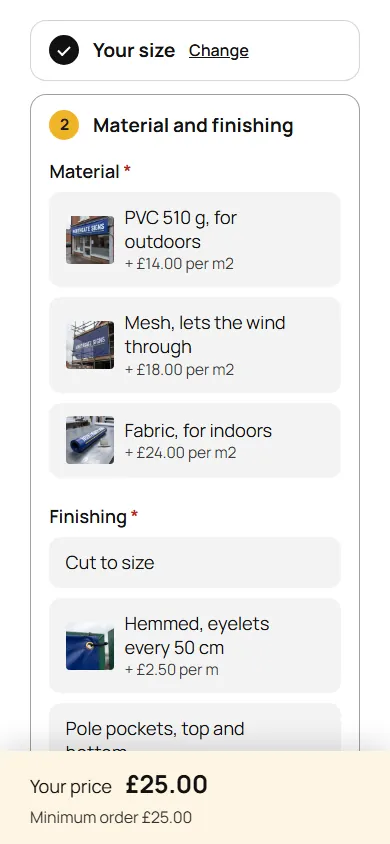
Accordion layout, Soft look. Every step on one screen. Finished steps fold up and say what was picked.


Full width layout, Picture tiles look. Under the photo, across the page, with a card that keeps the price and the buy button in view.
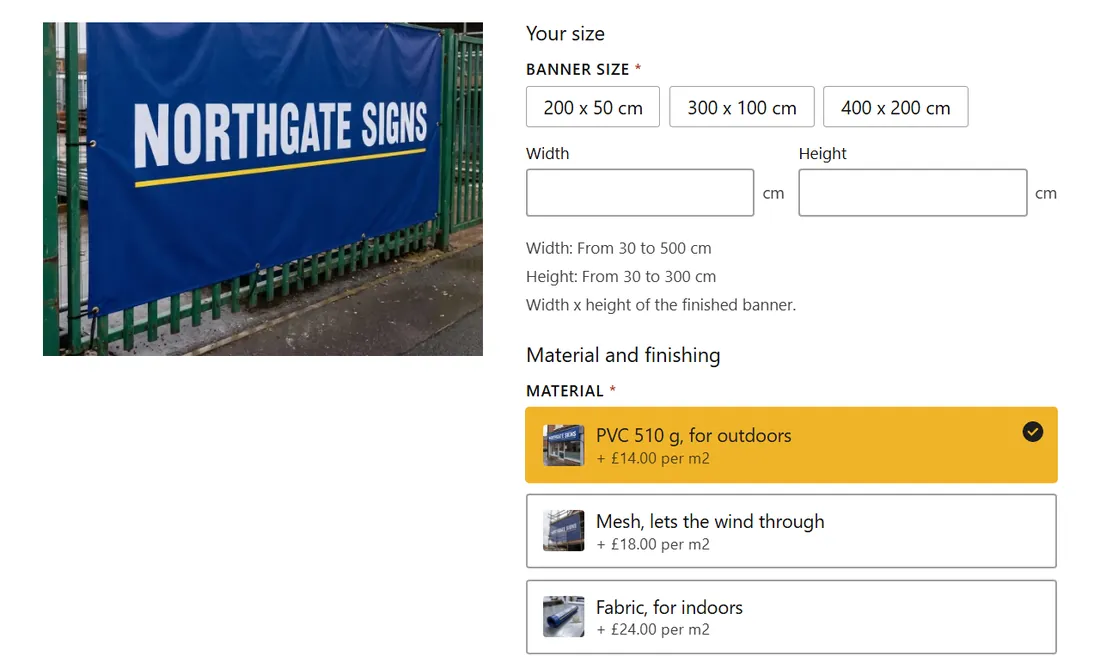

One page layout, Bold look. Everything on one page, no steps, with the picked option filled in your colour.
Then make it yours.
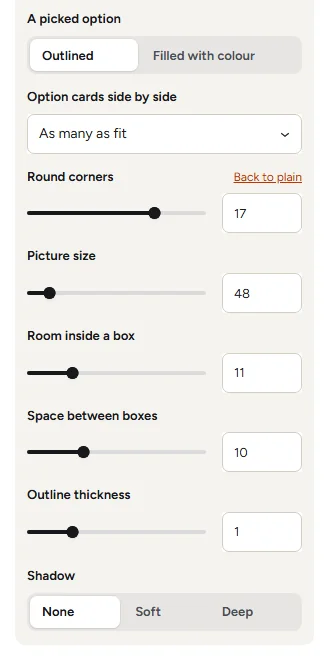
Start with a ready-made style, then adjust colours, text, option boxes and buttons. Preview the changes while you work.
- Colours and text
- Pictures and option boxes
- Spacing and corners
- Price and buy button
Copy a look and paste it into your other configurators, so the whole shop matches.
Try the style controls This changes the example below.
Material *
Review a job first. Then send a payment link.
Let customers buy, request a quote, or choose either. A request brings their choices and files into ConfigKit's inbox. Here is one five-banner request from start to payment, shown with sample details and prices.
1Your customer sends the job
Customer's request
Custom banner
- Size
- 300 x 100 cm
- Material
- PVC for outdoors
- Finish
- Hemmed with eyelets
- Extra
- Rope for tying
- Quantity
- 5 banners
- Artwork
- shopfront-banner.pdf
Calculated total£313.50
Send quote request
Their request arrives in your inbox. It is an enquiry, with no payment taken.
2You receive the details
Your shop's PDF copy
Northgate Signs
Example quote request 47
Custom banner
- Customer
- Maya Hollis
- maya@example.com
- Size
- 300 x 100 cm
- Quantity
- 5 banners
Request total£313.50
Their full choices and file links are available with the request. Confirm the job and delivery before proceeding.
Both sides get a PDF copy by email. You review the job and reply to the customer.
3You send a payment link
Your WooCommerce order
Custom banner
Pending payment- Quantity
- 5 banners
- Agreed price
- £313.50
This example keeps the requested price. You can edit the pending order if the agreed price changes.
Send the payment link
Choose Make it an order, check the details, then send WooCommerce's payment link to the customer.
See the actual customer form
This separate logo-print example shows the real product screen, file upload and quote form.

See the real ConfigKit quote inbox
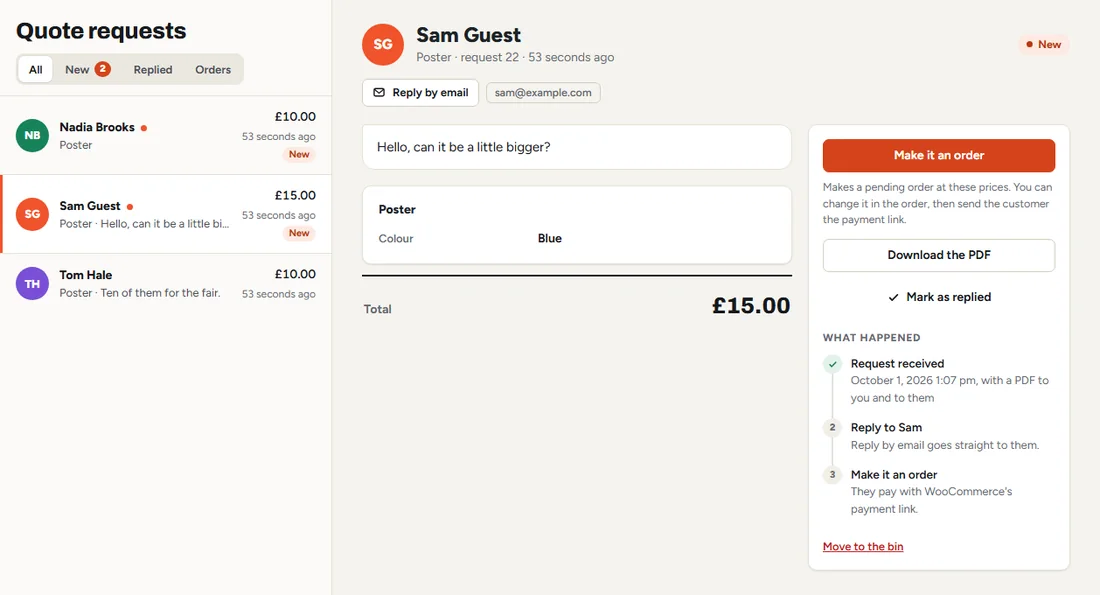
Slide sideways to inspect the inbox.
It works on the shop you already have.
Keep your theme and your WooCommerce checkout. These real pages show ConfigKit in twelve tested themes on computer and phone. Choose one to see the result, or send me your shop address if you want to check the fit.


- Your checkoutTested with WooCommerce block and classic checkout.
- Your languageTranslate the interface and your choices, with support for WPML and Polylang.
- Your currencyUses your shop currency, with integrations for supported currency switchers. Ask about yours before buying.
- Cached pagesPrices are checked again in the basket. If you update the pricing, an old page asks the customer to refresh.
Your shop checks the price before accepting the order.
ConfigKit calculates the price again from the customer's choices when they add to the basket. Editing a displayed amount does not change your configured product price. This demonstration shows that check; shipping and taxes follow your WooCommerce settings.
- Nothing goes in the basket until every needed choice is made.
- Quote requests are checked and priced the same way.
- Take a configurator off your shop, and nobody can check out with an old one still in their basket.
Custom banner300 x 100 cm · PVC 510 g, for outdoors · Hemmed, eyelets every 50 cm · Rope for tying · Quantity 5
You update the pricing while a customer still has the old page open. When they press Add to cart:
The prices on this page were just updated, so nothing was added. Please make your choices again and check the new price.
The customer must check the updated price before adding the product again.
Why I built ConfigKit
I'm Hamza, the founder of DevTonic Studios and the developer of PriceWise. I have built custom ordering tools for sign makers, workshops and other businesses that make products to order.
The same need kept coming up: let the customer choose the details, calculate the price and keep those choices with the order. ConfigKit puts those tools in a plugin you can set up on your own WooCommerce shop.
The templates use example prices. Your products, prices and pictures make them yours. If you are unsure whether your pricing fits, send me an example before buying. I read and answer the messages myself.

