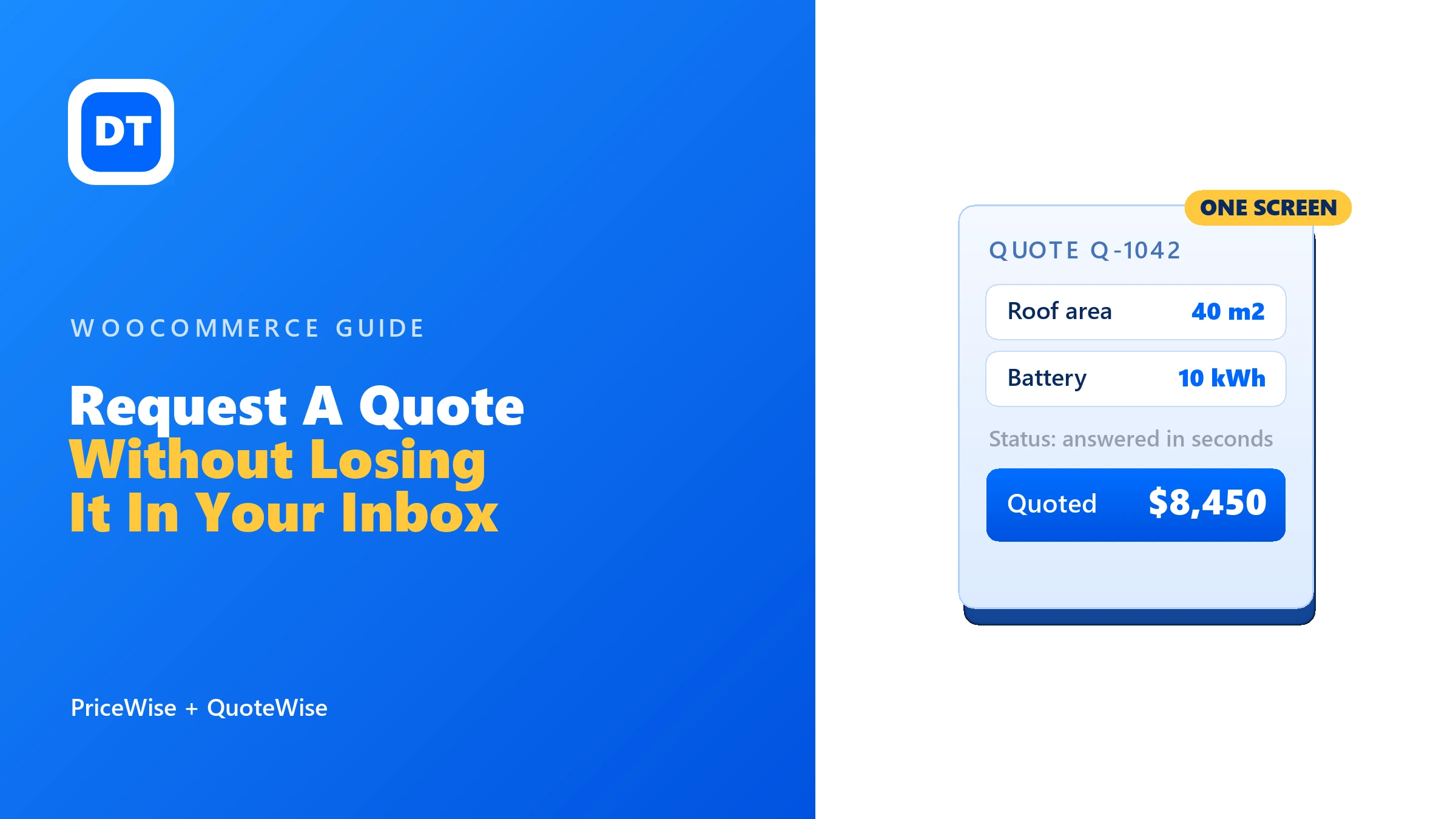
A customer asks what something costs. The question lands in your inbox. You work the price out, you reply, they come back with one change, and three days later you are scrolling through a thread trying to remember who said yes, who is still thinking, and who you never answered at all.
That is the real cost of quoting. Not the maths. The tracking. And it is why “request a quote” is one of the most searched WooCommerce jobs there is: shops know they need it, and they know their inbox is a terrible place to run it from.
The short version: Before you install a quote plugin, ask whether the price can actually be worked out from what the customer tells you. If it can, show the number and let them buy, because a quote you did not have to send is the fastest sale you will ever make. If it genuinely needs a human, then use a quote plugin, but pick one where the quotes live on a screen you can manage, not in your email.
The question that saves you the whole job
A quote form usually goes on for one reason: WooCommerce has a single price box, and their product does not have a single price. A 2.4 by 1.5 metre banner does not cost the same as an A2 poster. A 40 square metre floor does not cost the same as a bathroom. So the price box gets left blank, a “request a quote” button goes on instead, and every enquiry becomes an email.
But look at what you actually do when one of those emails arrives. You take their numbers, you multiply, you add a setup fee, maybe you round up to whole boxes, and you send the total back. That is not a negotiation. That is arithmetic, done by hand, several hours after the customer wanted the answer.
If you can write your pricing down as a rule, a computer can do it the instant they ask. Ask yourself one question:
- Could a new member of staff work this price out from a written rule? If yes, you do not need a quote. You need a calculator on the product page.
- Does it need your judgement, a site visit, or a supplier to come back to you? Then it is a real quote, and it deserves a proper system.
Plenty of shops turn out to be a mix, and that is fine. The point is to stop quoting the half you never needed to quote.
Way 1: work the price out and let them buy
This is the option people miss, and it is usually the bigger win. Instead of a form that promises a reply, the customer types their size, picks their options, and watches the total appear. Then they add it to the cart like any other product.
Nothing waits on you. Nothing sits in your inbox. The order arrives with every measurement and option recorded on it, so you know exactly what to make.

That is what I built PriceWise Calculator Pro to do. You describe your pricing once, as a formula or a price table, and the product page answers for you from then on. My complete price calculator guide walks through every way to price a custom product, from area and length to size-by-quantity grids.
Two things worth knowing if you are moving off a quote form:
- The awkward bits are settings, not workarounds. Minimum charge, setup fee, waste percentage, rounding up to whole boxes or whole sheets. These are the reasons people assume their pricing is “too complicated to automate”, and they are all just switches.
- You still get a paper trail. Every order carries a printable quote, and it can be attached to the order email as a PDF, so the customer has the breakdown in writing even though nobody typed it out.
Worth a click before you decide: the demos are ordinary products in my own shop. Put a size in one and see how much of your quoting was really arithmetic.
Way 2: when a quote is genuinely the right call
Some work cannot be priced by a rule, and pretending otherwise loses you money. A quote is the right answer when:
- The job needs measuring up, a site visit, or photographs before you can commit to a number.
- You price by relationship. Trade and wholesale buyers get different numbers, and you want to decide per customer.
- The order is large or unusual enough that you want to check stock, lead time or a supplier before you promise anything.
- Haggling is part of the trade, and the price you first give is expected to move.
In all of those, a quote is not a failure to automate. It is the actual product of your expertise. The problem is never the quote. It is what happens to it afterwards.
What a quote plugin should actually do
Collecting a quote request is the easy half. A button, a form, an email to you. Any plugin can do that, and a contact form can nearly do it.
The half that runs your business is everything after the request lands. Where is it up to? Did I answer it? What did I quote them, and when does that number stop being true? If the answers live in your inbox, you will lose some, and the ones you lose are usually the big ones.
So when you compare quote plugins, look past the button and check for these:
- One screen with every quote on it, sortable, filterable by status, searchable by customer.
- Accept and decline as buttons, not as emails you have to write, with the customer told automatically either way.
- Status history and internal notes, so you can see what happened without reconstructing it from memory.
- A place for the customer to look, so “did you get my request?” stops being an email you answer manually.
- Guests, not just logged-in users. Someone asking for a price often has no account, and no plans to make one.
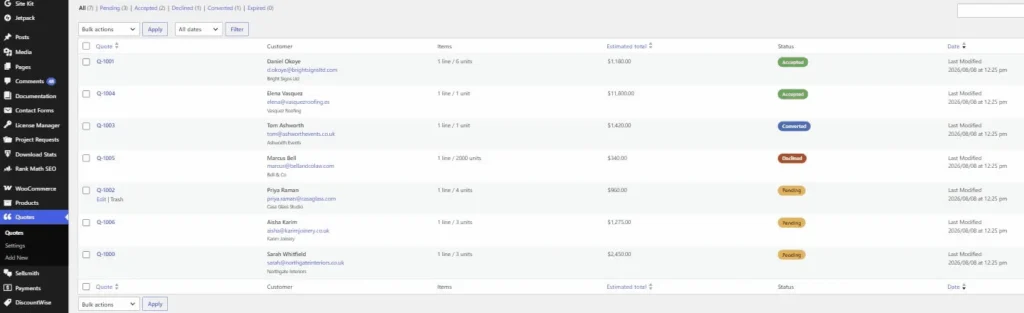
That list is what QuoteWise is built around, and all of it is in the free version. The button sits next to Add to Cart or replaces it, the quote basket is kept separate from the normal cart, and the request form asks for name, email, phone, company and a message. On your side every request becomes a row on a dashboard, with the customer, the products, their message, your notes, and the full status history.
Setting it up on your shop
The setup is short, and the order matters, because the second step is the one people skip.
- Decide which products are quote-only. You can force the button on for a single product, force it off, or let it follow the shop default. Do this deliberately rather than switching it on everywhere.
- Decide whether the price and the Add to Cart button should disappear on those products. For genuinely quote-only items, hiding both stops the confusing half-state where a shopper sees a price and a quote button and cannot tell which one is real. My guide to hiding the price and Add to Cart in WooCommerce shows the setting, and two ways to do it without a plugin.
- Set the button text and where it sits. “Request a price” often works better than “Request a quote” for consumer shops, because it is what people actually say.
- Turn on reCAPTCHA if the form is public. It is optional and uses free Google keys. A public quote form with no spam protection fills up fast.
- Send yourself a test request as a guest, in a private window. Check the admin email arrives, then accept it from the dashboard and read the email your customer would get.
That last step is the one that catches problems. It takes two minutes and it is the difference between finding out now and finding out from a customer.
Where free stops and paid starts
I will be plain about the line, because “free” in plugin listings often means a demo.
Free covers the whole quote conversation. Button, basket, form, admin email, the dashboard, accept and decline with automatic customer emails, status history, internal notes, bulk actions with CSV export, the My Account tab for customers, and guest requests. If your goal is to collect quotes and answer them properly, the free version is the finished tool.
The free version is on WordPress.org, so you can install it from Plugins, Add New by searching for QuoteWise.
What free does not do is take the money. An accepted quote stays a quote. Turning it into a real WooCommerce order with a Pay Now link is the job of QuoteWise Pro, from $49 a year or $99 once, and that is the main reason to go Pro. Pro also adds PDF quotes, private share links so a customer can view and pay without an account, expiry dates with automatic reminders and automatic expiry, a message thread for negotiating price, a form field builder with conditional logic, quote rules by role or product, a REST API and webhooks, bulk import from a CSV file, and an analytics dashboard.
Pick by that one line. If you need to collect and answer, stay free. If you need to close and get paid without retyping the order, that is what you are paying for.
Using both, which is where it gets good
The two jobs are not rivals, and one shop can easily need both. A print shop can price banners and posters automatically all day, then take a proper quote request for a full shop signage fit-out. A flooring shop can sell by the square metre online and quote for supply-and-fit.
The two plugins are built to work together for exactly that. With both installed, a customer can configure a product, watch the calculator work out the real price, and then send that configured line into a quote request instead of the cart. The price the calculator worked out becomes the starting figure on the quote, so you are negotiating from a real number rather than starting from a blank.
FAQ
Can I have quotes on some products and normal checkout on others? Yes, and you should. The quote button is controlled per product, so your standard stock sells normally while the made-to-measure or trade lines go through quotes.
Do customers need an account to request a quote? No. Guests can request without registering. Logged-in customers get a Quotes tab in My Account where they can see each request and its status, and decline one they no longer want, which cuts down the “any news?” emails.
Does the quote basket mess with the normal cart? No, it is kept separate. Someone can have shoes in the cart and a quote request for a custom job at the same time without the two mixing.
Is a contact form good enough? For a handful of quotes a month, honestly, it might be. The moment you cannot answer “how many quotes am I waiting on?” from memory, a form has stopped being enough, because a form has no idea what a status is.
My prices are complicated. Is a calculator really possible? Usually, yes. Minimum charges, setup fees, waste allowance and rounding up to whole units are the four things people assume rule them out, and all four are settings. The calculator guide covers each one.
Where to start
Work through your quote emails from the last month and sort them into two piles: the ones that were only arithmetic, and the ones that genuinely needed you.
The first pile should not be quotes at all. Put a calculator on those products with PriceWise and let people buy at two in the morning without waiting for you. The second pile is what QuoteWise is for, so those quotes stop living in your inbox and start living somewhere you can actually see them.
You may be surprised how big the first pile is.