The search bar does two things, and they work together:
When a customer types a keyword like “jacket,” matching products appear instantly in a dropdown, no page reload needed.
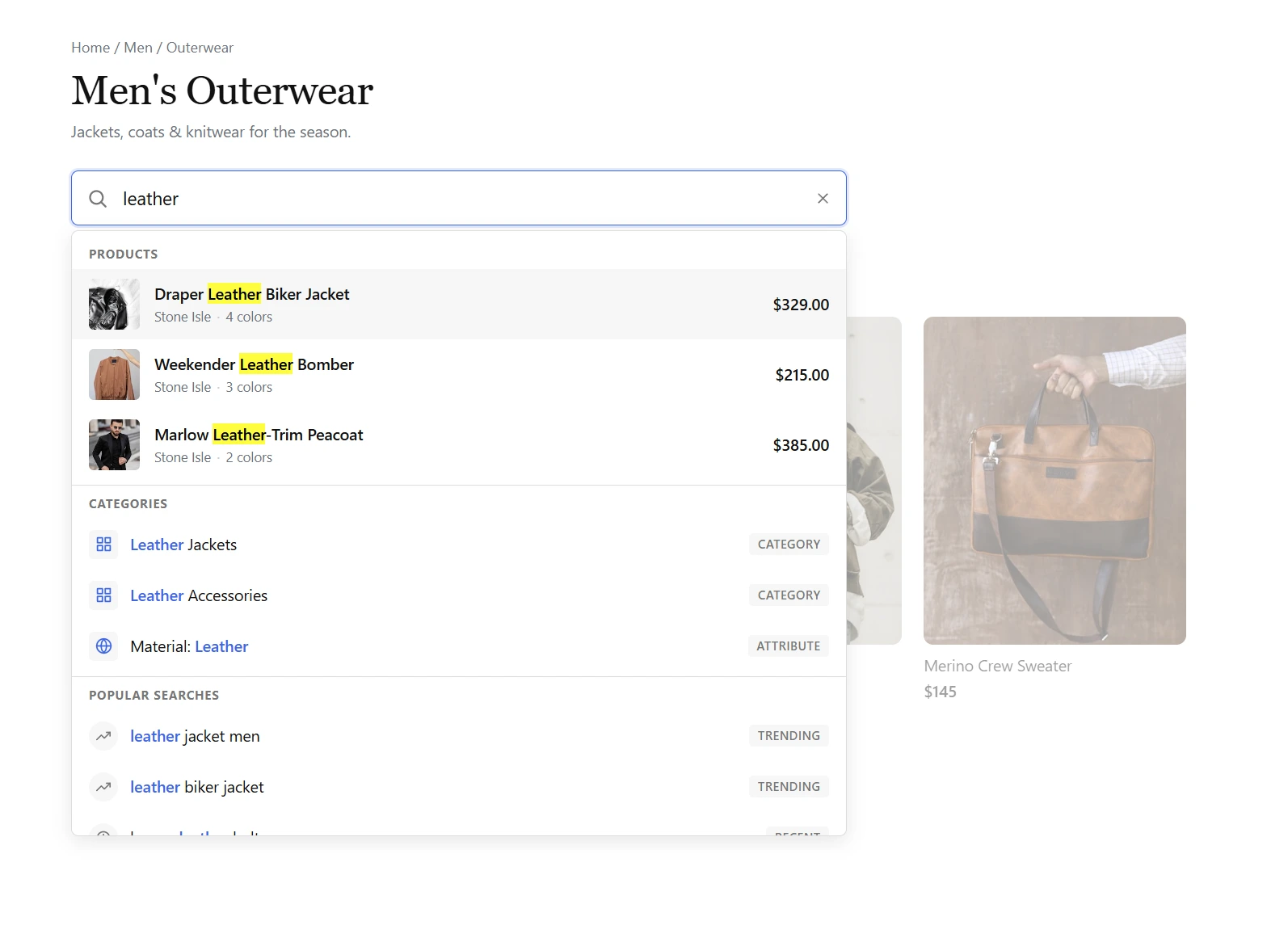
Products appear instantly as the customer types.
Customers can type full sentences like “red leather jacket under $200 in medium” and the search bar understands what they mean:
- Color , Red
- Material , Leather
- Category , Jacket
- Price , Under $200
- Size , Medium
Filters activate automatically and the product grid updates. It also handles typos. “blek jacket” still matches “black jacket.”
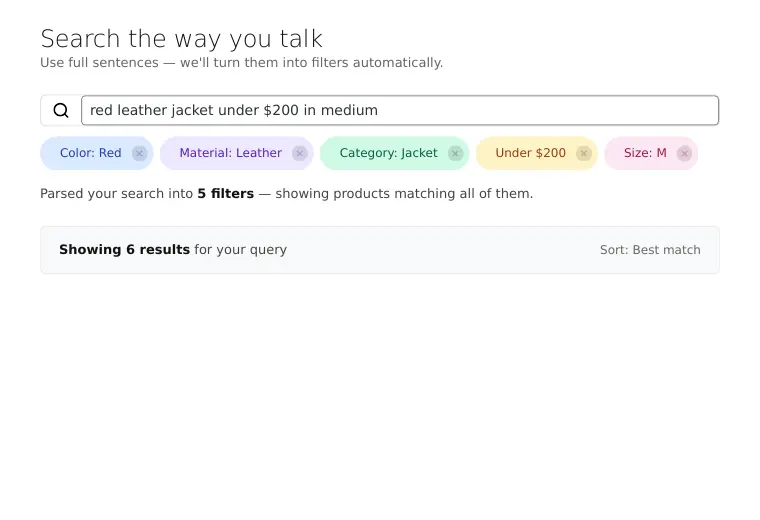
A natural language query parsed into filters automatically.
The search builds an index of your product attributes on activation. If you add new attributes or terms later, go to WooCommerce, Settings, FilterKit Pro, General and click “Rebuild Index” so it recognizes the new terms.
The search runs entirely on your server. No external services, no per-search fees, and no customer data leaving your store. Turn it on or off in WooCommerce, Settings, FilterKit Pro, Features.
Was this page helpful?
Thanks for telling us.
Sorry it did not help. Tell us what you were looking for and we will add it.