You do not need to log into the dashboard every day. FilterKit Pro sends the important numbers to your inbox automatically.
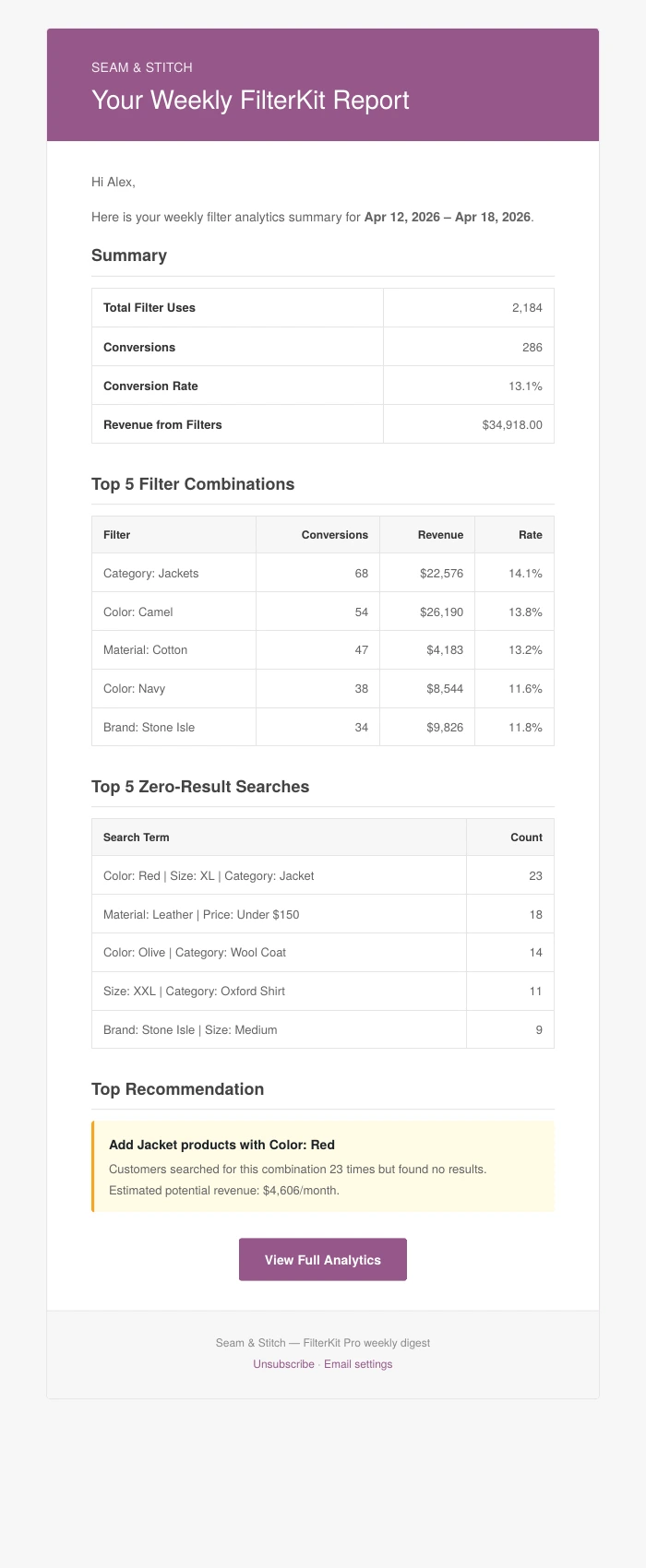
The email uses your store branding: logo, colors, header, and footer.
- Headline numbers (filter uses, conversion rate, and revenue) with changes vs. last period
- What customers searched for that you do not stock
- Top filters ranked by revenue
- New waitlist signups
- Actionable recommendations
Get notified when a search hits a threshold. For example, if 10 people search for something you don’t stock in a single day, you can get an alert immediately, as a daily digest, or weekly. Set the threshold and frequency in WooCommerce, Settings, FilterKit Pro, Features.
Both use WooCommerce’s email system, so they automatically match your store’s branding. Configure recipients and frequency in WooCommerce, Settings, Emails, FilterKit Pro Reports.
Was this page helpful?
Thanks for telling us.
Sorry it did not help. Tell us what you were looking for and we will add it.