The plugin supports two checkout modes. You can switch between them anytime in settings. With either one you can also skip the WooCommerce checkout page.
Overlay Mode (Recommended)
Checkout opens as a popup directly on your site. Customers never leave your page – they pay inside the overlay, it closes, and they’re back on your store.
- Better conversion – customers stay on your site
- Supports dark mode, store logo, and product image customization
- Uses Lemon Squeezy’s
Lemon.jsscript to open the checkout popup - Falls back to a redirect link if the overlay can’t open
Redirect Mode
Customers are sent to Lemon Squeezy’s hosted checkout page. They pay there and get redirected back to your store when they’re done.
- Simpler – no popup, standard redirect flow
- Works the same on the backend (same webhooks, same order updates)
- Good option if your theme conflicts with the overlay
How to Change Checkout Mode
- Go to WooCommerce → Settings → Payments → Lemon Squeezy → Manage
- Find the “Checkout Mode” dropdown
- Select “Overlay” or “Redirect”
- Click “Save Changes”
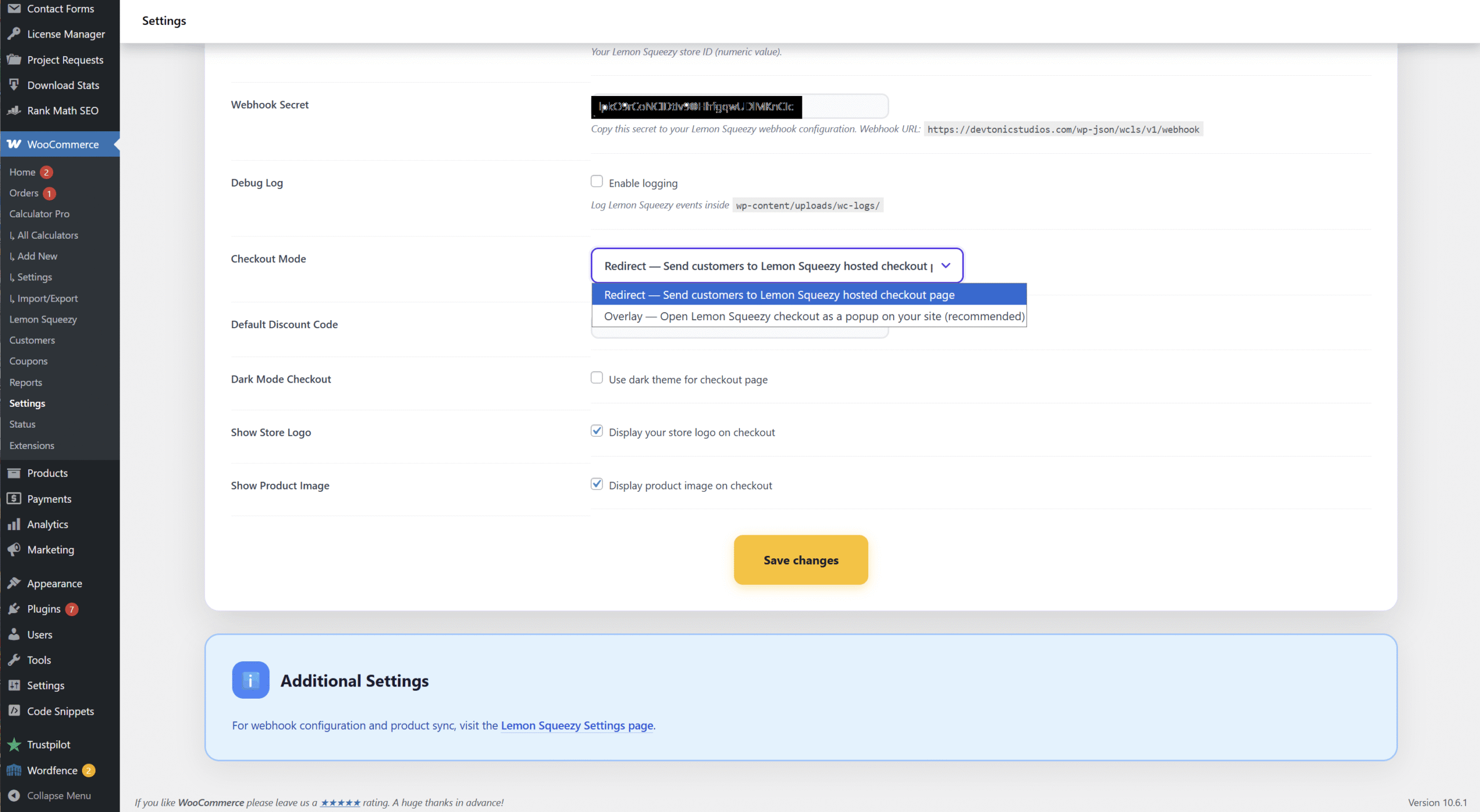
Screenshot: Checkout Mode setting – choose Overlay or Redirect
Skip the Checkout Page (Optional, Either Mode)
Lemon Squeezy asks the buyer for the email and card itself, so the WooCommerce checkout page is an extra step. With this on, buyers go from the cart straight to Lemon Squeezy, or the overlay, through a short “Taking you to secure payment” page that needs no click. Every way into the checkout leads there: the cart button, a mini cart, a theme’s own button.
- Go to WooCommerce → Settings → Payments → Lemon Squeezy → Manage
- Tick “Skip the Checkout Page”
- Click “Save Changes”
The order is made from the cart the way WooCommerce’s checkout makes it, with coupons, fees and taxes. The buyer’s email and name come back from Lemon Squeezy with the payment and are written on the order before it is marked paid, so WooCommerce’s emails and downloads reach them. A buyer who leaves without paying comes back to a full cart, and paying again uses the same order.
These keep the normal checkout page:
- A cart that needs shipping
- A free cart
- A guest, when your shop needs an account to check out (guest checkout off, or a plugin such as a membership plugin asking for one)
- A guest whose coupon is limited to certain emails or uses per buyer
- WooCommerce Subscriptions products, and a cart with no product linked to Lemon Squeezy
Buyers cannot pick another payment method on the way, and anything only the checkout page asks for, such as a terms checkbox or extra fields, is skipped too.
Was this page helpful?
Thanks for telling us.
Sorry it did not help. Tell us what you were looking for and we will add it.