Webhooks notify your store instantly when payments are processed, refunds occur, subscription events happen, or license keys are generated. They’re essential for real-time order updates.
Option A: Automatic Registration (Recommended)
The easiest way to set up your webhook – one click and the plugin does everything for you.
Auto-Register Webhook
- Go to WooCommerce → Lemon Squeezy in the admin menu
- Find the “Webhook Setup” card
- Click “Register Webhook on Lemon Squeezy”
- The plugin will automatically:
- Create the webhook endpoint on Lemon Squeezy
- Subscribe to all necessary events
- Store the signing secret in your settings
- You should see a success message confirming registration
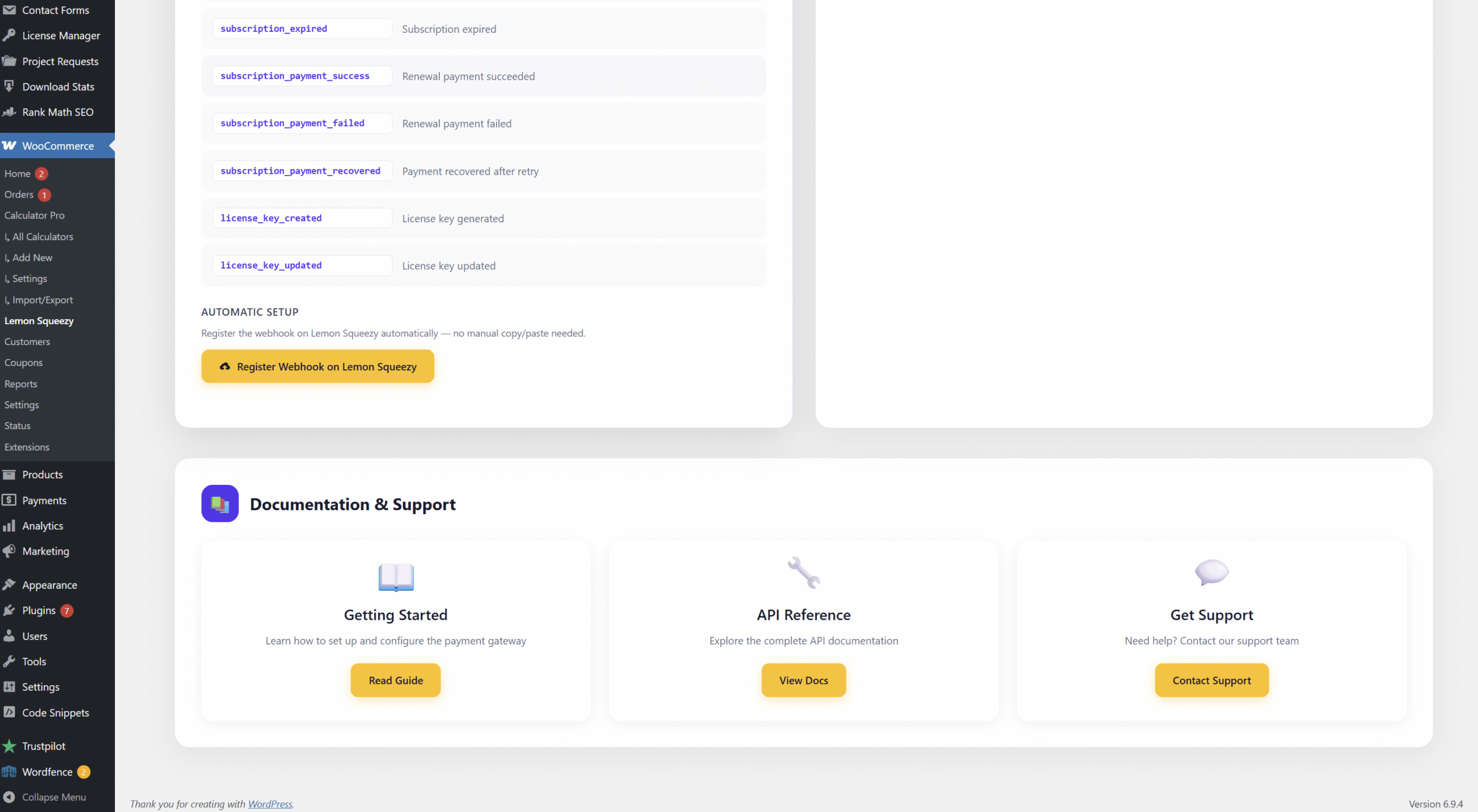
Screenshot: Click “Register Webhook on Lemon Squeezy” – one click sets up everything
Auto-registration handles everything. No need to copy URLs or secrets between dashboards. You can skip to the Product Mapping section.
Option B: Manual Setup
If auto-registration doesn’t work or you prefer manual control, follow these steps instead.
Get Your Webhook URL
- In the plugin settings, find the “Webhook Setup” card
- Copy the Webhook URL displayed
- It looks like:
https://yoursite.com/wp-json/wc-lemon-squeezy/v1/webhook
https://yoursite.com/wp-json/wc-lemon-squeezy/v1/webhook
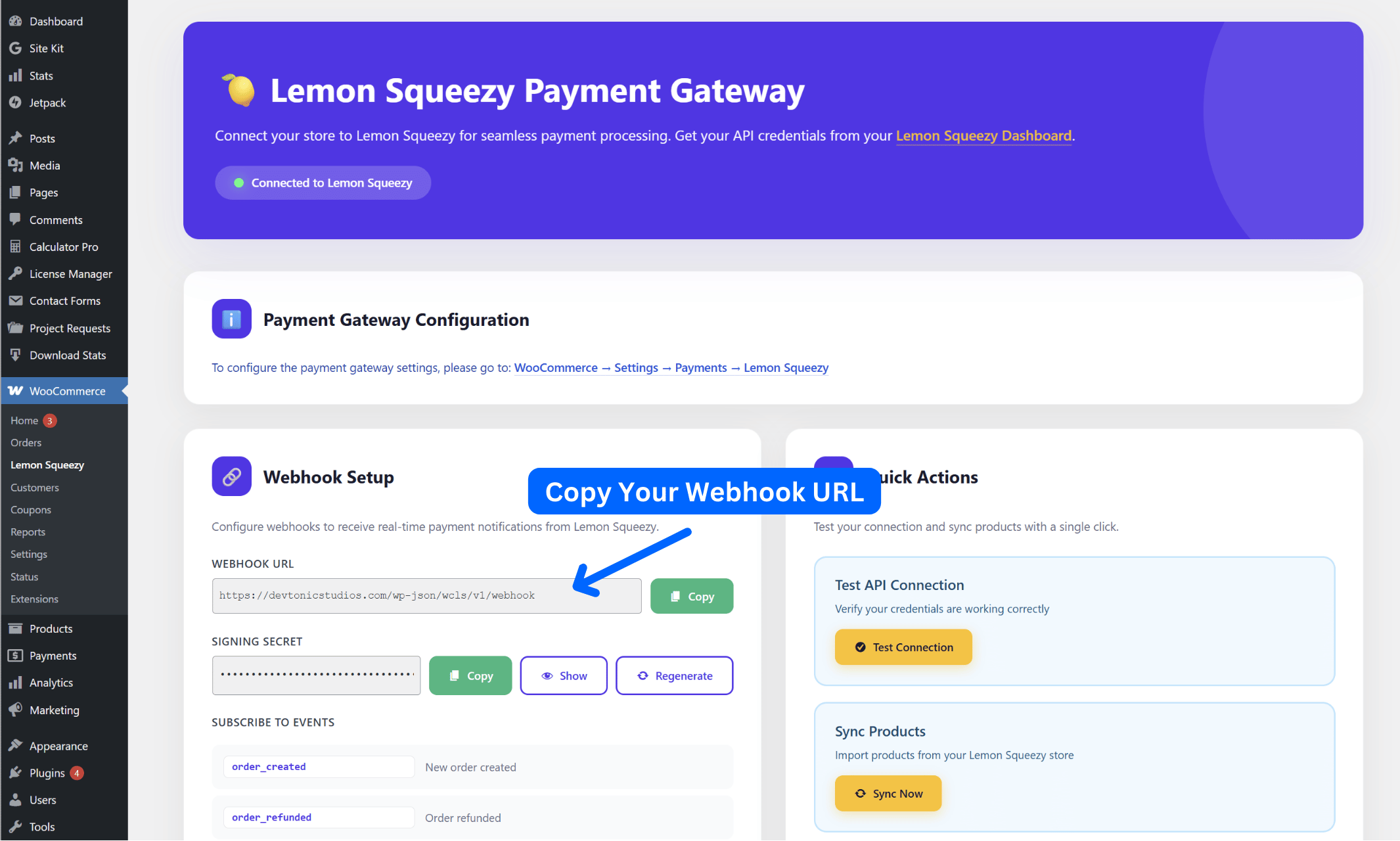
Screenshot: Get Your Webhook URL from WordPress Site
Add Webhook in Lemon Squeezy
- Go to Lemon Squeezy dashboard
- Navigate to Settings → Webhooks
- Click “Add Endpoint”
- Paste your webhook URL
- Select events based on what you’re selling:
Only check the events that match the type of products you’re selling. Don’t select subscription events if you only sell one-time purchases, and vice versa.
Required for All Stores:
If You Sell Products With License Keys:
If You Sell Subscriptions:
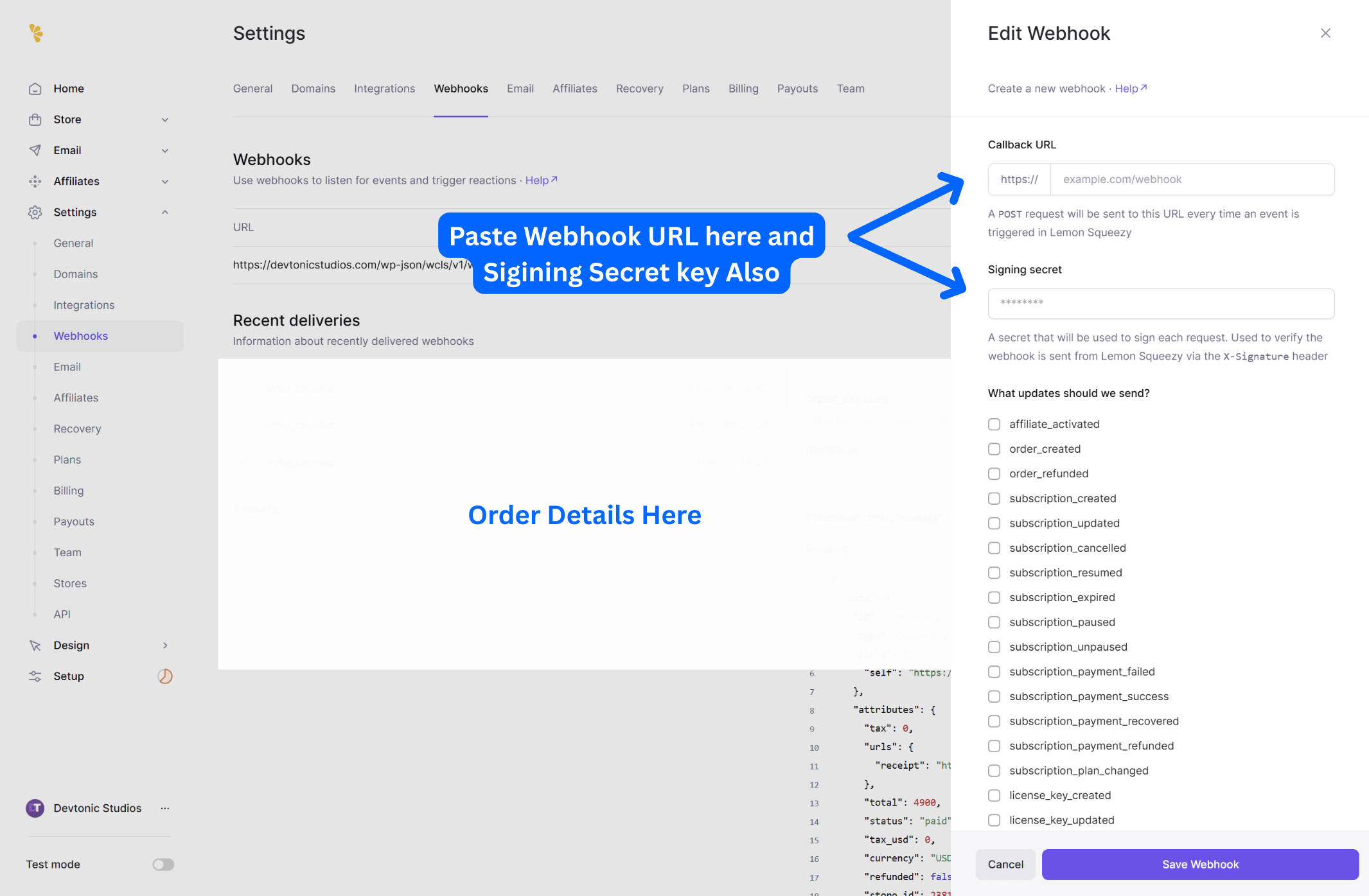
Screenshot: Lemon Squeezy Webhook Configuration
Copy Webhook Secret
- After saving webhook in Lemon Squeezy
- Copy the “Signing Secret”
- Return to WordPress plugin settings
- Paste it in “Webhook Secret” field
- Save settings
The webhook secret validates that requests are genuinely from Lemon Squeezy. Every incoming webhook is verified using HMAC signatures. Never skip this step!