Under Quotes, then Settings, then General, Quote mode decides where the Add to Quote button shows up.
- Off. No quote button anywhere. Use this while you are still setting up.
- On for ALL products. Every product gets the button. Right for shops where the price always depends on the order.
- On for products I choose. Nothing gets the button until you switch it on per product.
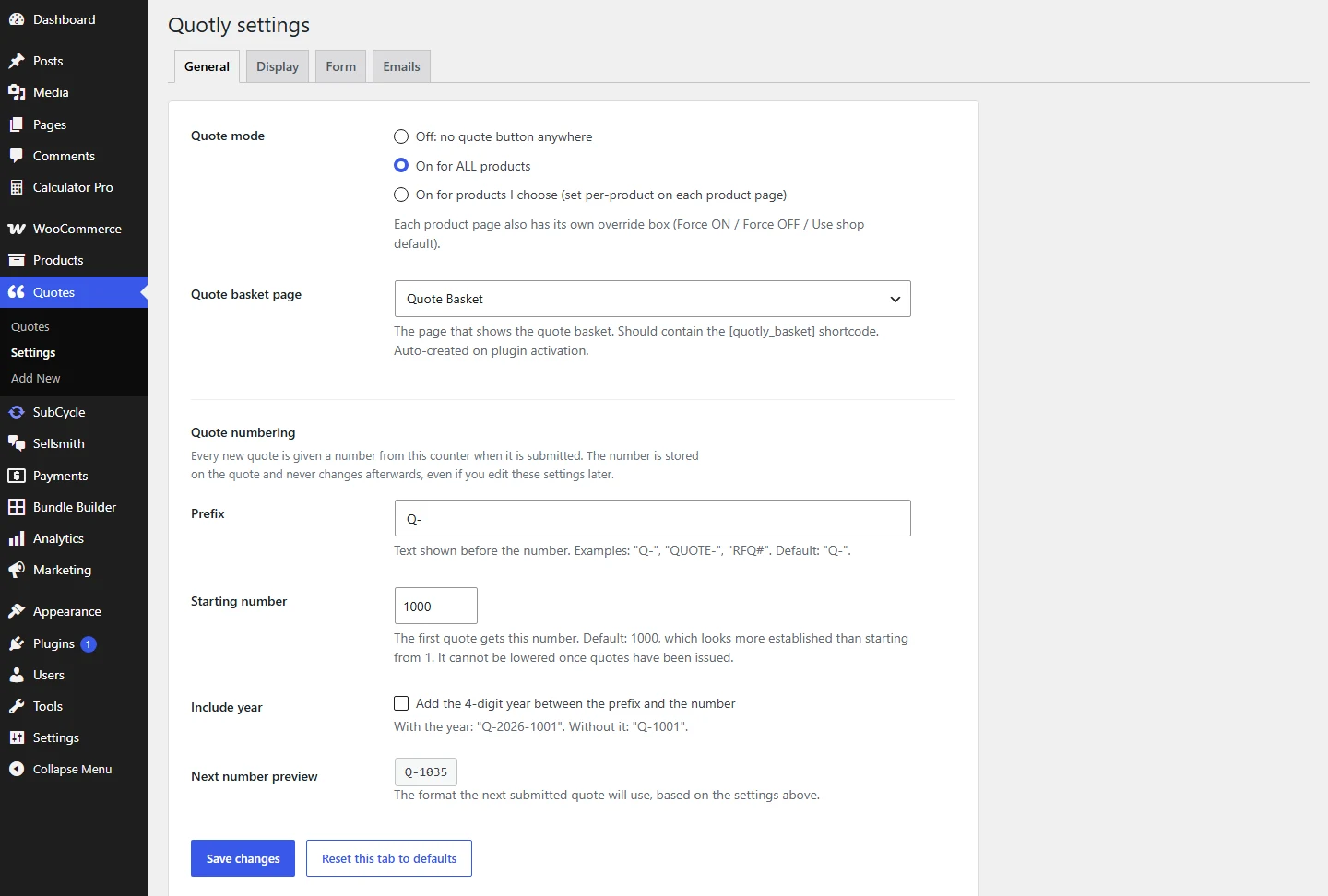
Quote mode, the basket page, and your quote numbering all live on the General tab.
The per-product box
Every product edit screen has its own QuoteWise box with three choices, and it wins over the shop setting:
- Force ON. Always quotable, even when quote mode is off.
- Force OFF. Never quotable, even when quote mode is on for all.
- Use shop default. Follow whatever quote mode says.
Selling a mix of stock and made to order?
Leave quote mode on On for products I choose, then Force ON only the made to order items. Your normal stock keeps selling through the cart as usual.