Open any quote. The Quote status box sits at the top right. Pick the new status and click Update quote.
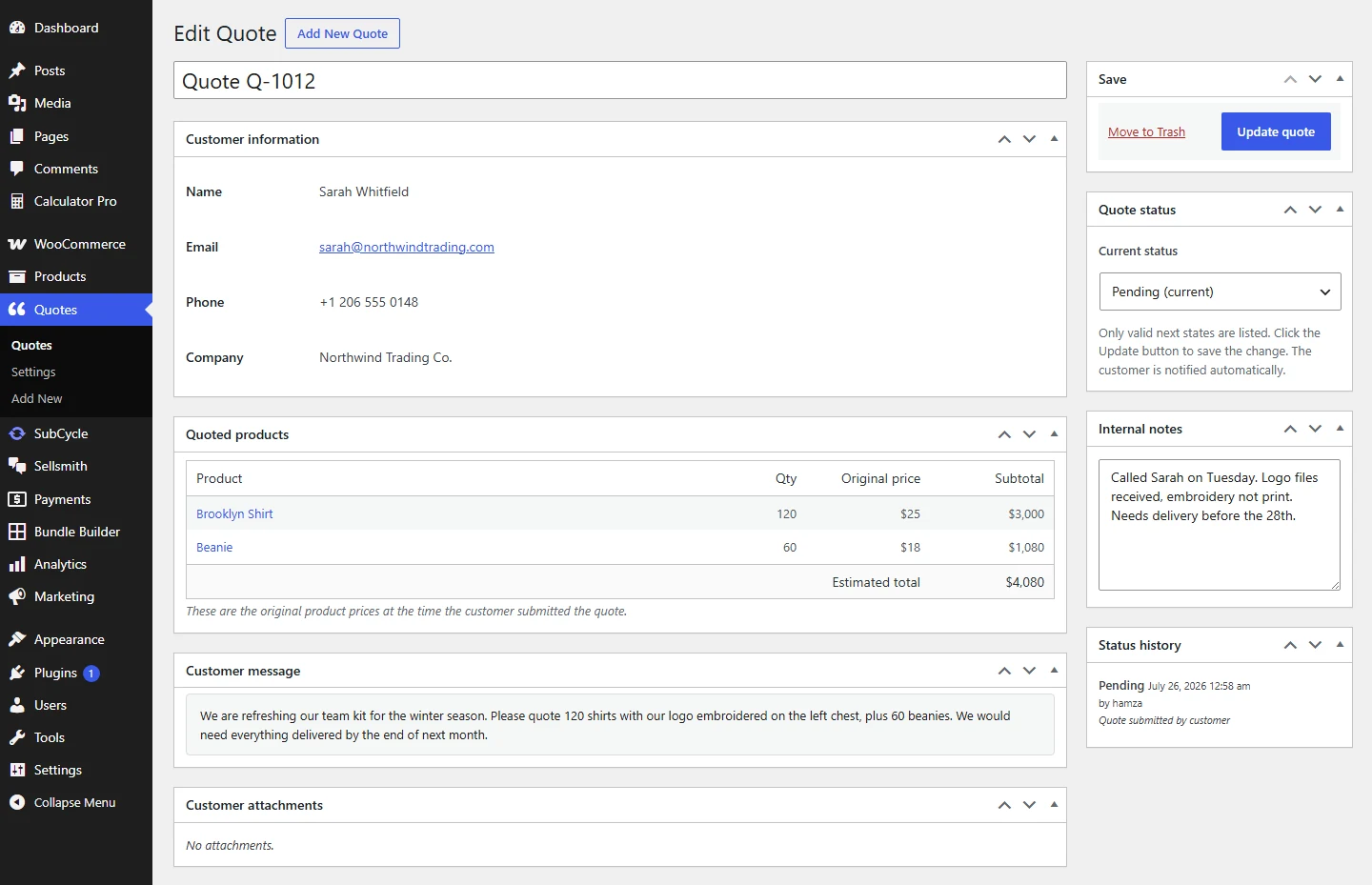
Customer details, what they asked for, and the status box on the right.
The five statuses:
- Pending: it arrived and nobody has answered yet.
- Accepted: you are happy to supply it.
- Declined: you are not taking it on.
- Expired: it ran past its date. QuoteWise Pro sets this automatically.
- Converted: it became a paid order. QuoteWise Pro does this.
The dropdown only offers the moves that make sense from where the quote is now, so you cannot jump a Pending quote straight to Converted by accident.
The customer is emailed as soon as you update
Accepted and Declined both send the customer an email the moment you save. Decide before you click, not after.