Open Quotes in the sidebar. Every request is here, newest first. If you know the Orders screen, you already know this one.
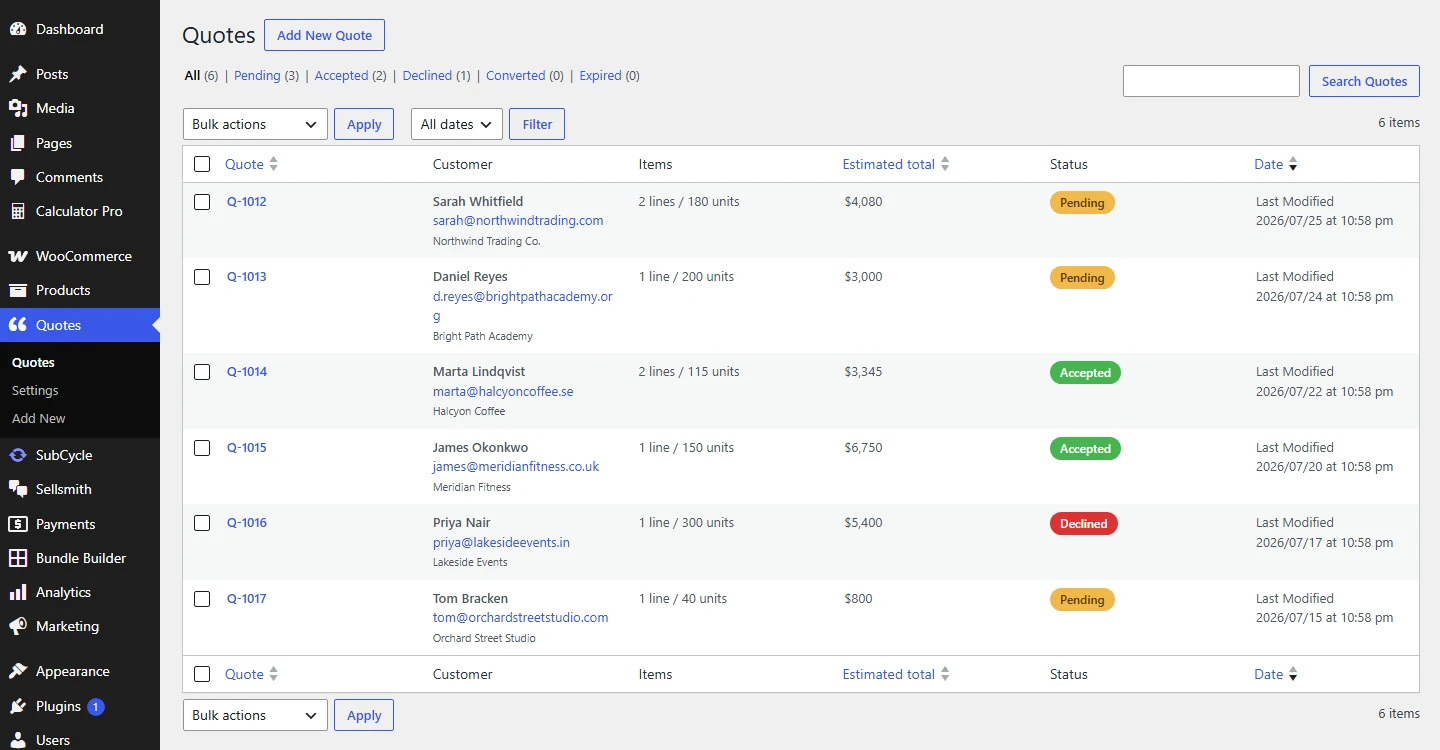
Filter by status along the top, search by customer on the right.
The columns:
- Quote: the number, such as Q-1001. Click it to open.
- Customer: name, email, and company if they gave one.
- Items: how many lines and how many units.
- Estimated total: the total at the prices when they submitted.
- Status: a coloured badge.
- Date: when it came in.
The links above the list filter by status, and the count next to each tells you how many are waiting. Pending is the one to watch.
Search finds people, not just numbers
The search box looks through customer name, email, and company, so you can find a quote when all you remember is who sent it.