Not every enquiry arrives through the website. Go to Quotes, then Add New and build one yourself.
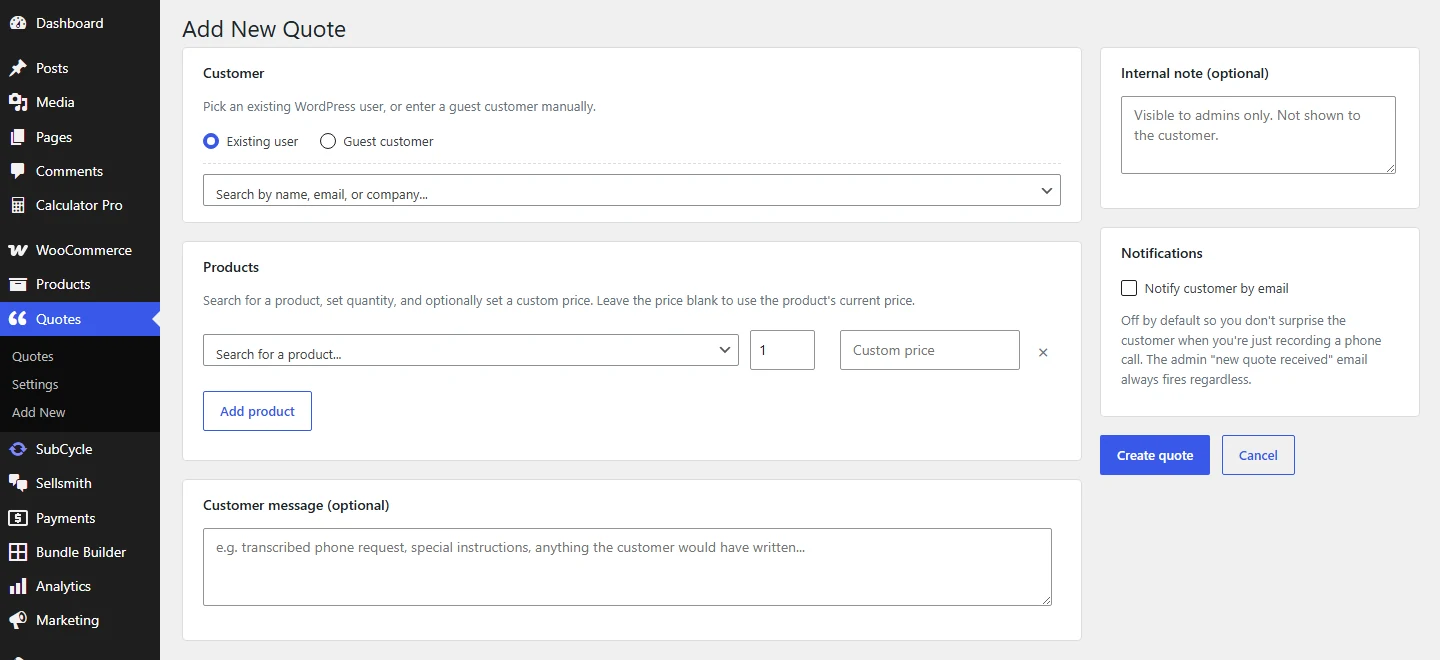
Pick the customer, add products, set quantities and prices, then create.
1
Pick the customer
Search an existing WordPress user by name, email, or company. Or choose Guest customer and type their details in.
2
Add the products
Search by product name or SKU. Set the quantity. Leave the price box empty to use the current shop price, or type your own.
3
Add the details and create
Record what they said in Customer message, keep anything private in Internal note, then click Create quote.
Notifying the customer is optional
Notify customer by email is off by default, so you do not surprise someone who just rang you for a price. Your own new quote email always fires so the quote is on the record.