The Chat Widget tab controls the chat bubble on your storefront. Remember it is off until you turn it on here.
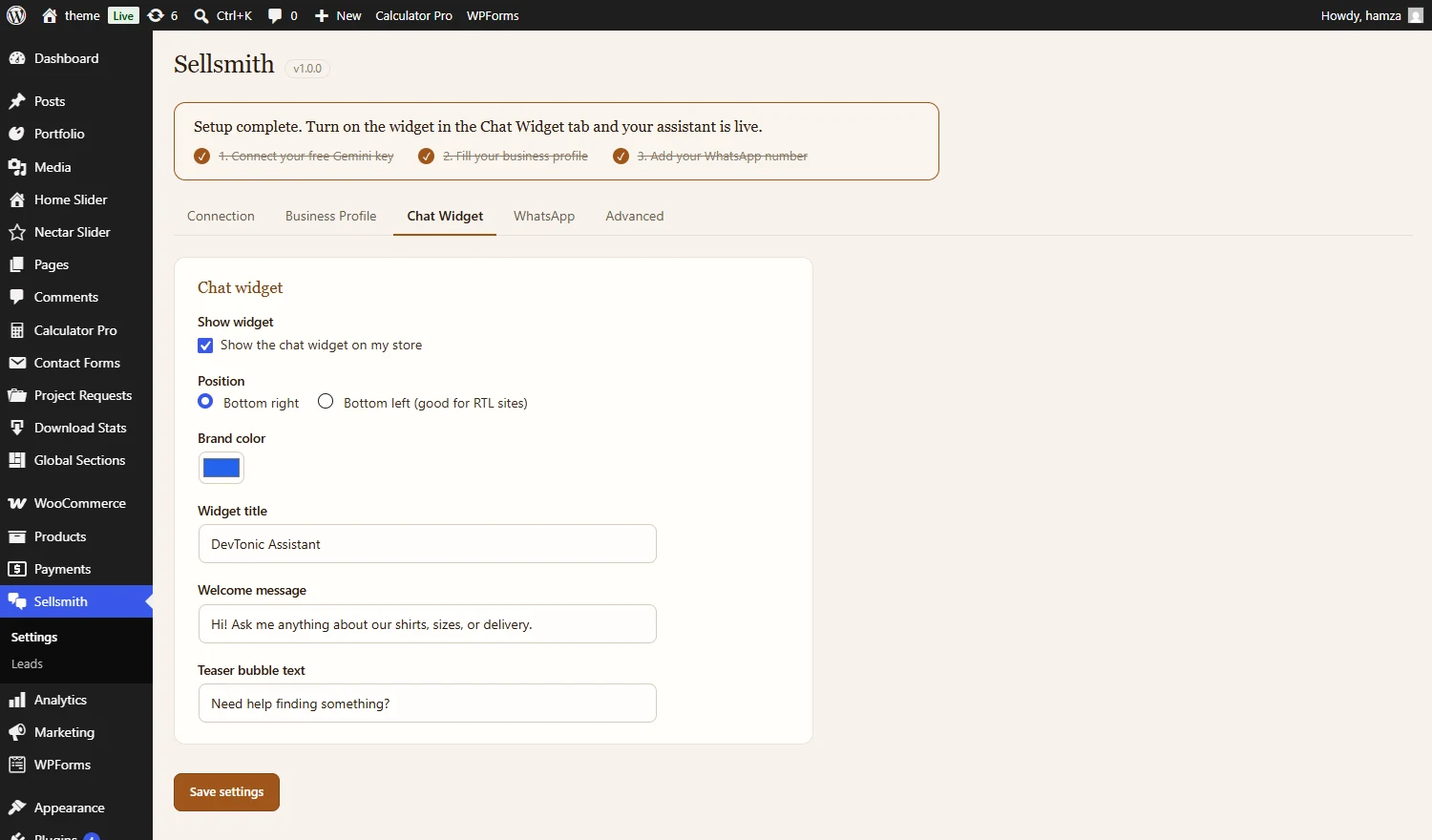
Turn the widget on, set the position, brand color, title, and the messages buyers see.

Once on, the widget sits in the corner of your store, ready when a buyer has a question.
Settings on this tab:
- Show the chat widget: The master on/off. Off by default.
- Chat mode: AI or Message (see the next section).
- Position: Bottom right or bottom left (left suits right-to-left sites).
- Brand color: The widget accent color. Defaults to terracotta.
- Widget title, welcome message, teaser text: The wording your visitors see.
- Credit link: An optional small “AI agent by Sellsmith” link.