Pro can reach you the second a buyer needs you, three ways, so a sale never goes cold while you are away from the dashboard.
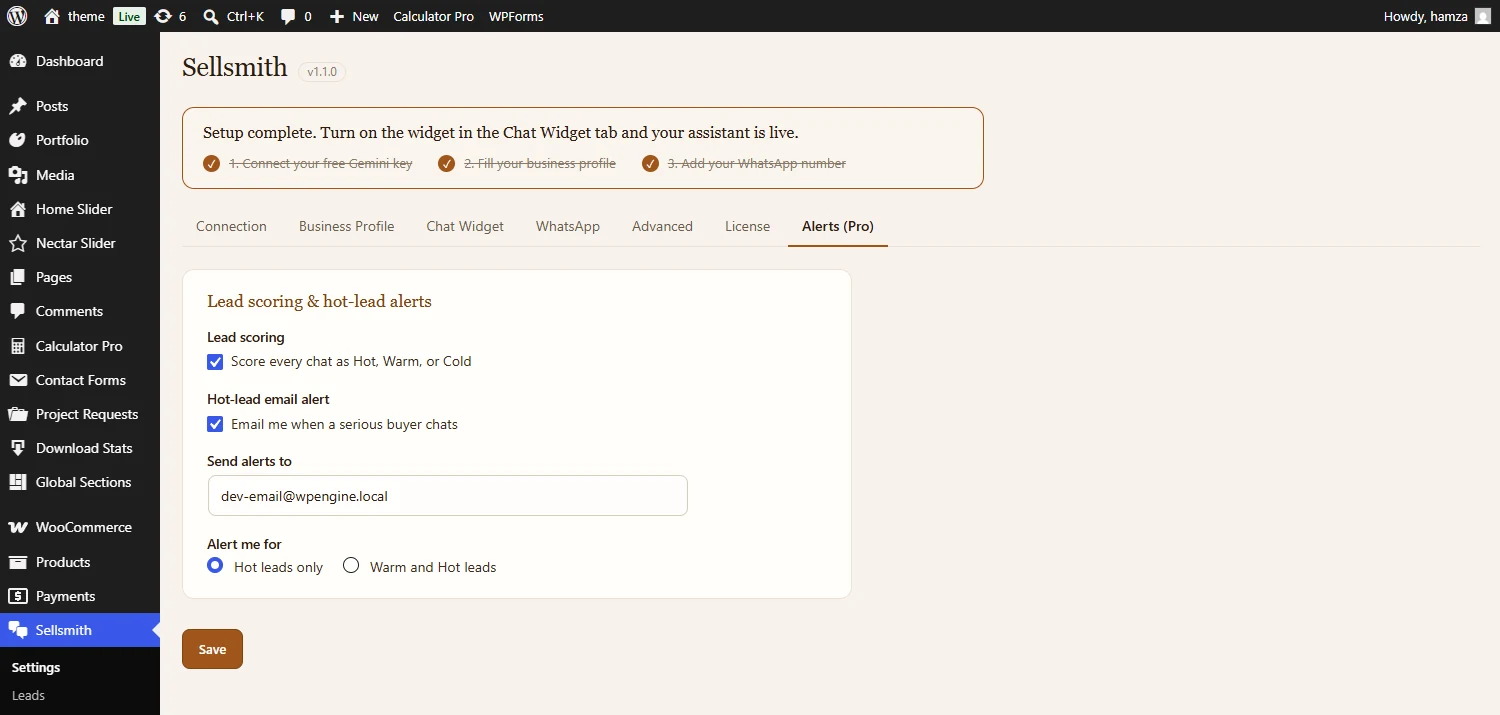
On the Alerts tab: choose your alert email, and whether to be alerted for Hot leads only, or Warm and Hot.
- Send alerts to: the email address for alerts. Defaults to your admin email.
- Alert me for: Hot leads only, or Warm and Hot. Cold never triggers an email.
- One email per conversation: it includes why the lead is hot, the city, the products they looked at, whether they tapped WhatsApp, the last few messages, and a link to the chat.
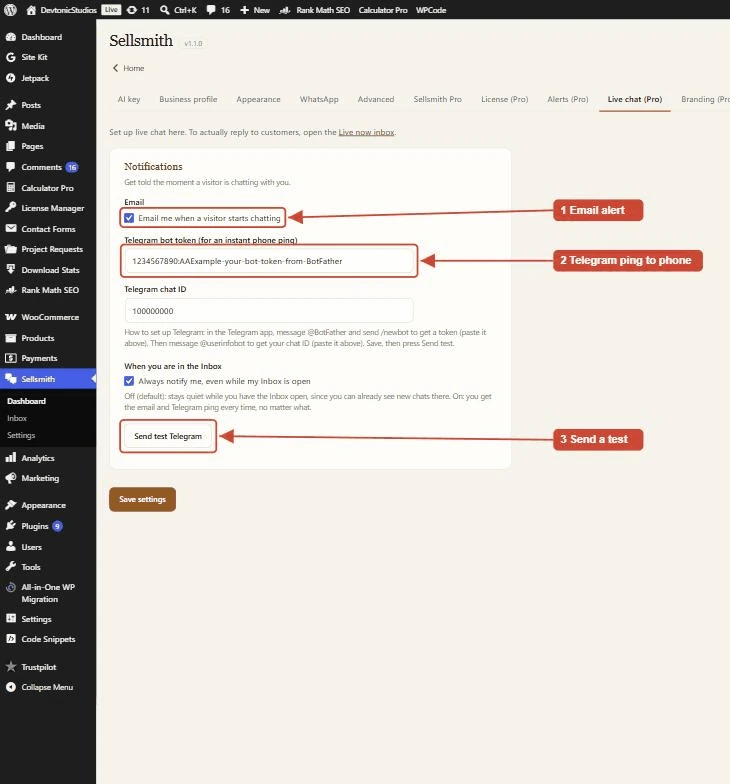
Telegram and desktop notifications, set under Notifications on the Live chat tab.
Add a Telegram bot token and chat ID, and Sellsmith pings your phone for every live message, with a preview and a link to the chat. There is a “Send test Telegram” button to check it, and the setup help walks you through @BotFather and @userinfobot.
While your Sellsmith inbox is open, a new live chat plays a quiet beep and shows a browser notification, so you do not miss a buyer while in another tab.
When a visitor sends a live message, you also get a short email with the message and a link to the Live now inbox. Turn it on or off under Notifications on the Live chat tab.