Pro lets you talk to buyers yourself, in real time, right inside the store chat. A buyer reaches you with a tap, you get pinged, and you reply from the Sellsmith inbox. No phone number and no extra app.
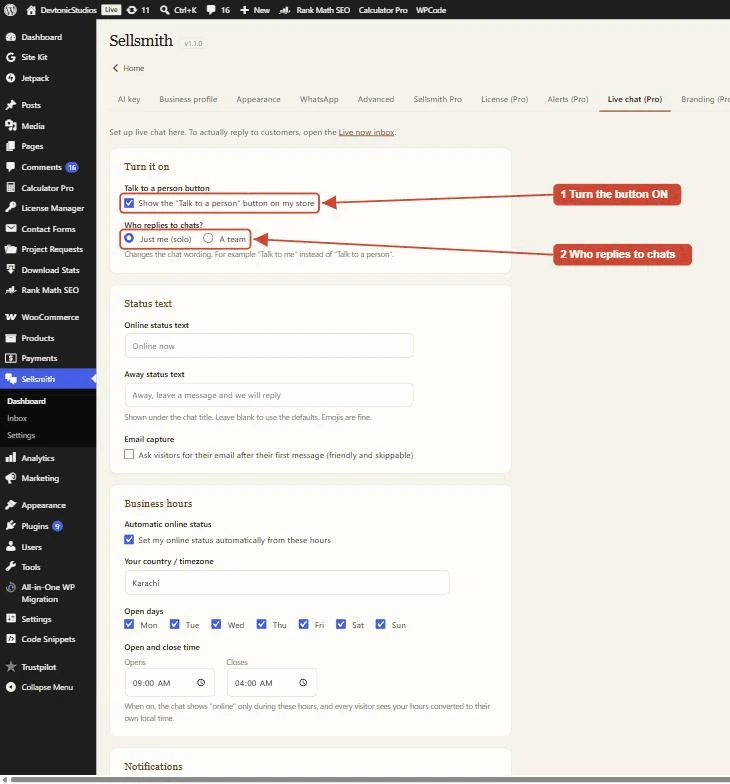
The Live chat tab: turn the button on, choose who replies, set your status text, hours, and notifications.
- Show the button: switches on a button on your store chat so buyers can reach a real person. In AI mode it shows in the chat; in Message mode, when you are online, buyers are connected to you automatically.
- Who replies? Just me (solo) or A team. This changes the wording buyers see, for example “Talk to me” instead of “Talk to a person”.
- Status text: your own Online and Away wording, shown under the chat title.
- Email capture: optionally ask the visitor for their email after their first message, so you can reach them if they leave.
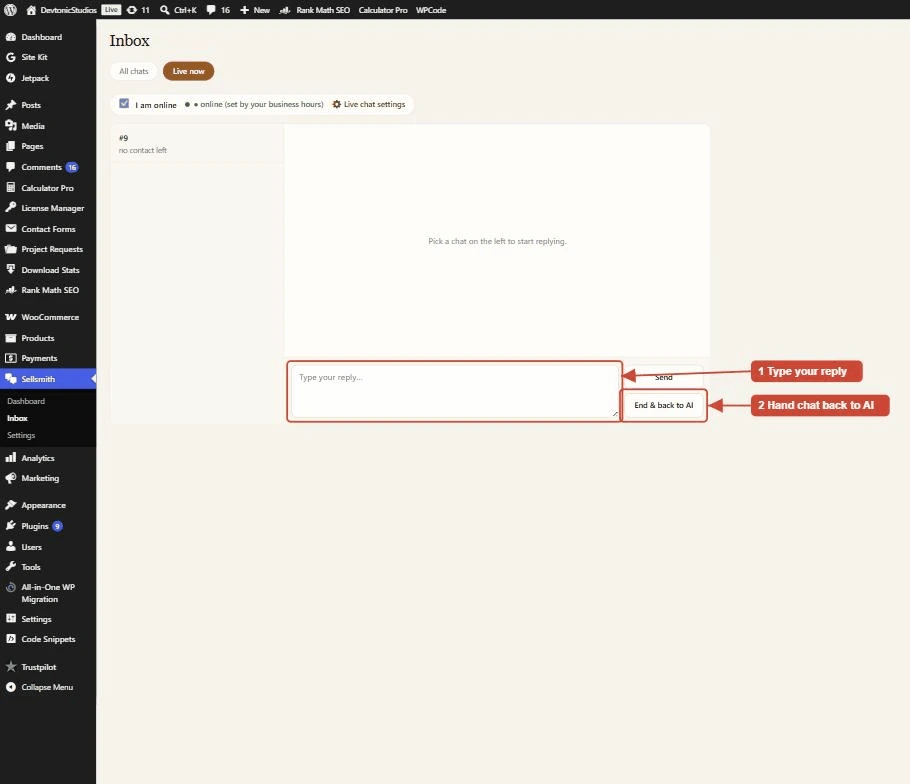
Sellsmith, Leads, Live now: reply to buyers in real time from your dashboard.
Open Sellsmith, Leads, then click the “Live now” filter. You get a two-pane console: live chats on the left, the conversation on the right, and a reply box. Type and the buyer sees it in seconds. Use “End & back to AI” to hand the chat back to the assistant when you are done.
While chatting, a buyer can tap “Email me this chat” to get a secure link. They can close the tab, then carry on the same conversation later from their phone or laptop.