When you are not live, Pro lets you answer message-mode leads right from the Leads inbox, and the conversation keeps going where it started.
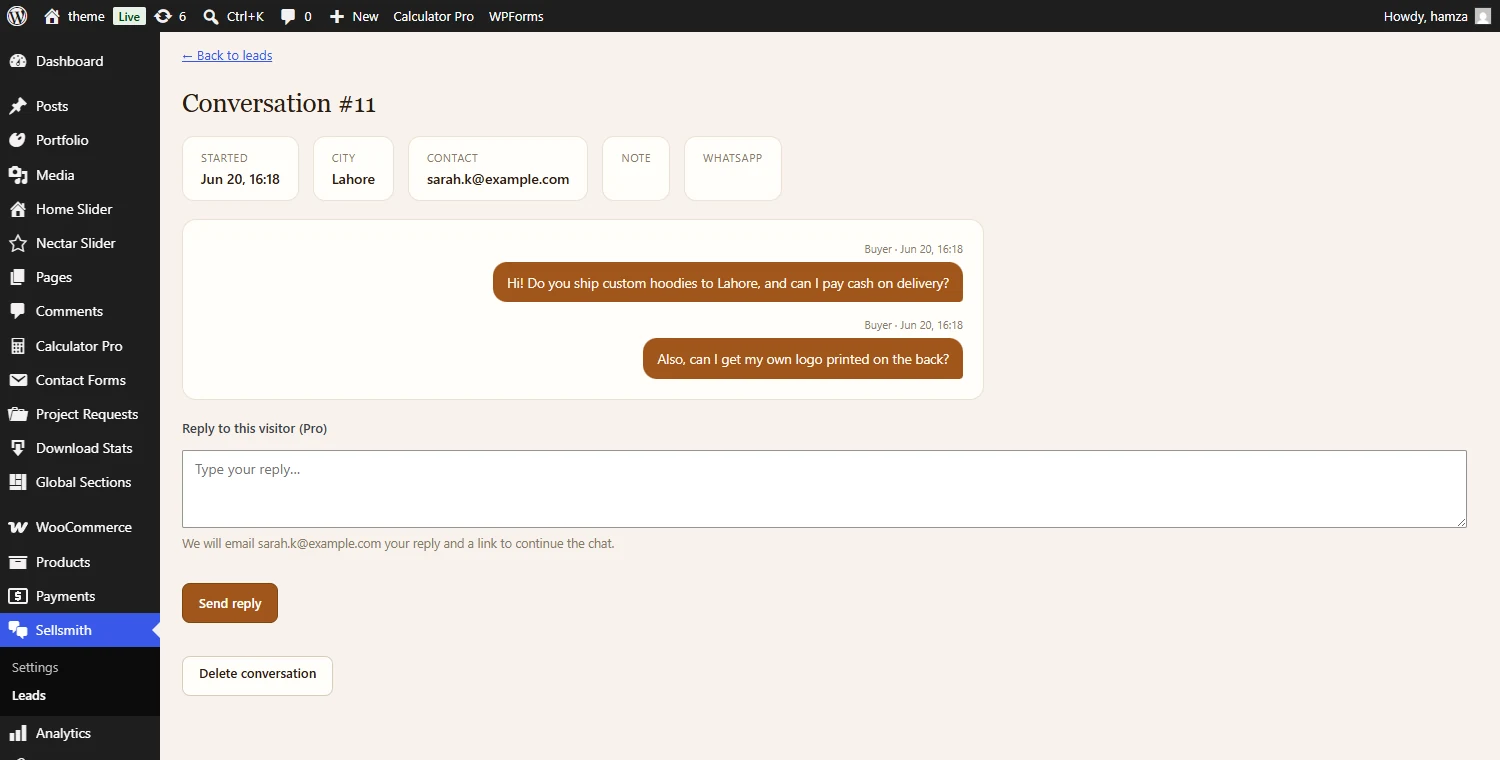
Reply to a message-mode lead. The visitor gets your answer plus a secure link to continue the chat.
1
Open a Message-Mode Lead
In Sellsmith, Leads, open a lead that came in through Message mode. Under the transcript you will see a “Reply to this visitor” box.
2
Type and Send
Write your answer and press Send reply. If the visitor left an email, they get your reply plus a secure link that reopens the same chat on your store, so the conversation continues right where it began.
3
Phone-Only Leads
If the visitor left only a phone number, your reply is saved and you reach them on WhatsApp.